

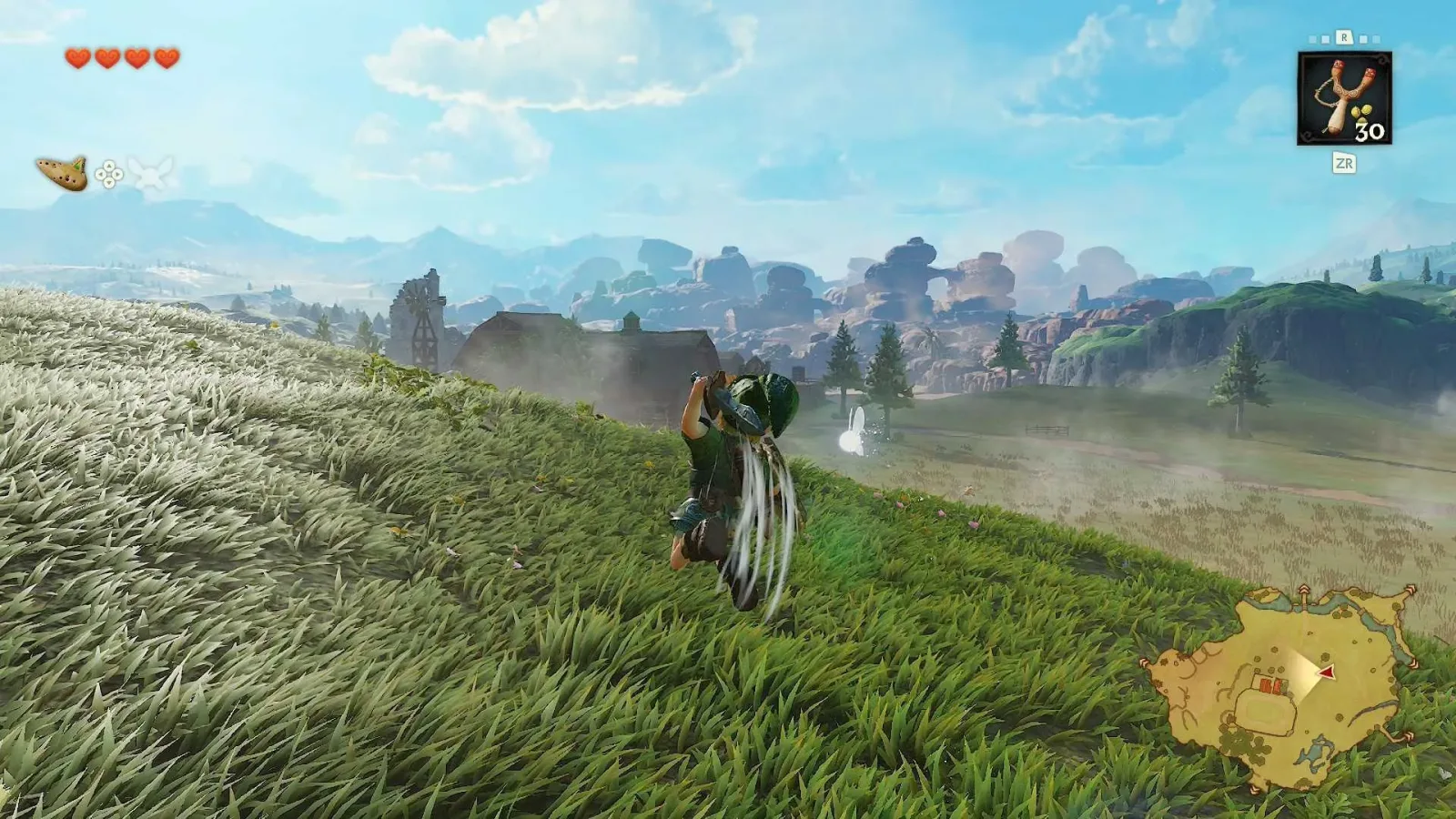
Link's combat toolkit in The Legend of Zelda: Ocarina of Time is familiar enough that many players can recall it almost instinctively. There are standard sword swings, defensive sidesteps, rolling movement, charged spin attacks, and the ever-useful jump attack. That last technique has long been one of Link's most satisfying moves: he launches himself toward a foe and brings his weapon down with extra force, dealing twice the damage of a standard smash.
It is a move with a clear purpose. When an enemy leaves an opening, when a larger target needs to be finished quickly, or when a player simply wants to commit to an aggressive strike, the jump attack provides a strong answer. Its power has helped make it a staple of 3D Zelda combat over the years.
In the newer version of Ocarina of Time, though, performing that attack can initially seem more complicated than it needs to be. The remake introduces a free-jump button, changing the assumptions behind how Link moves through both combat spaces and the wider world. That added freedom is useful, but it also creates an unintuitive sequence for an attack that used to be extremely direct.
Fortunately, there is an easier control option. It is not prominently taught during the opening tutorial, so players who only follow the most obvious instructions could miss it. Once understood, the shortcut restores much of the speed and simplicity that makes the jump attack such an important part of Link's arsenal.
For useful background on this topic, read Ocarina of Time's Castle Town Has a New Beard-Tracking Hero, and Fans May Never Recover.
Why the original jump attack felt so natural
In the original Ocarina of Time, Link does not have a conventional dedicated jump command. Instead, he automatically leaps when he runs toward a ledge or gap that the game considers jumpable. That system has limitations, but it also means the game can treat a jump attack as a specialized combat action rather than a maneuver requiring the player to assemble several separate inputs.
With an enemy targeted through Z-targeting, the jump attack is performed by pressing the A button. The result is immediate: Link springs toward the opponent and strikes. It is a fast, readable command that complements the targeting system, especially in the close-range confrontations that define much of the game's combat.
The move's effectiveness is not merely about style. A jump attack delivers double the damage of a normal smash, making it a meaningful option against enemies that would otherwise take longer to bring down. Players could use ordinary slashes to maintain pressure, charge a spin attack when space allowed, and then capitalize on a vulnerable moment with a heavier aerial blow.
That clean relationship between targeting and attack became part of the muscle memory of 3D Zelda. It is therefore understandable that a revised control scheme can feel strange even when it is attempting to add more player freedom.
Free jumping changes more than traversal
The remake lets Link jump whenever the player chooses by using the X button. He can leap without needing a nearby ledge, a gap, or an enemy. This changes exploration in an obvious way: crossing a gap is no longer an automatic movement event triggered by running forward. Players must manually make the jump.
That may be an adjustment for anyone accustomed to the original game's contextual system. Rather than approaching an edge and trusting Link to clear it, players now need to account for the jump button themselves. The change gives direct control over a basic action, but direct control can also mean more responsibility at moments that were once automatic.
The knock-on effect is especially noticeable with the jump attack. Since jumping is now independently available, the most literal method for making Link leap and strike asks the player to combine multiple commands. First, target an enemy. Then move forward. Press X to jump, and press Y to attack while Link is airborne.
On paper, this sequence makes sense. In practice, Link's airtime is short, and the required X-and-Y button timing can feel cumbersome. A player needs to be quick enough to make the attack register during the brief leap, while also maintaining the direction toward the intended foe. In a quiet practice area the input may be manageable, but combat rarely stays quiet. Enemies move, attacks interrupt positioning, and a moment spent thinking about buttons is a moment when a target can retaliate.
The result is that one of Link's strongest moves can feel less accessible precisely when it ought to be most useful.
The simpler targeted shortcut
There is a far more comfortable way to use the jump attack. With an enemy targeted, tilt the control stick forward and press A. Link will perform the jump and attack together.
That is the entire shortcut. There is no need to separately tap X and then rush to Y before the jump ends. The player still needs a target and must push forward, but the actual offensive action is condensed into a single A-button press.
For players coming from the original game, this is likely to be the preferred option. It preserves the general idea of the older command while accommodating the remake's new movement model. The button placement is not identical to the standard attack button used elsewhere in the revised controls, so it can still take a little time to become automatic. Even so, it is substantially easier to learn than the manual X-plus-Y approach.
The shortcut also makes the move more practical under pressure. Target a foe, push toward it, press A, and Link commits to the heavy attack. That is a far more reliable rhythm for reactive combat than trying to coordinate a jump button and an attack button during a very short airborne window.
Quick input guide
- Target an enemy using the game's targeting function.
- Tilt the control stick forward toward the targeted opponent.
- Press A to have Link jump forward and attack.
This input is distinct from simply jumping freely. If a player wants to use Link's general-purpose jump for traversal or movement experimentation, X remains the dedicated jump command. The A-button shortcut is specifically valuable when a targeted enemy is in front of Link and the goal is to perform the combat jump attack.
Where to find the game's explanation
The game does provide information about this easier method, but not in the place many players may expect. It is not clearly presented as part of the initial tutorial flow. Instead, the details can be found in the menu's refresher tutorials after the jump attack has been learned in Kokiri Forest.
That placement makes the feature easy to overlook. Tutorials stored in menus are useful for returning players or anyone who needs a reminder, but they are not always the first destination for someone who is actively struggling with a particular input. A player may assume the manual jump-and-attack sequence is the only intended solution and simply try to adapt to it.
Checking the refresher material after gaining the technique is therefore worthwhile. It can clarify not only the button combination but also the intended context: this is a targeted forward attack, not merely a free jump followed by a sword swing.
A deliberate response to an awkward control problem
The availability of the shortcut reflects an awareness that the fully manual version of the maneuver does not feel ideal. Eiji Aonuma, the original director and the remake's producer, recognized the issue and requested that the team include a workaround.
That small design decision matters because it protects the role of the jump attack in the broader combat system. A powerful move should not become neglected just because its default-looking input is inconvenient. If players stop using it, encounters become less expressive and a major part of Link's familiar fighting style is effectively hidden behind control friction.
By offering both systems, the remake keeps its free-jump feature while giving combat a more streamlined alternative. Players who want manual control can still jump with X and attack with Y. Players who want the classic-style combat response have the forward-and-A shortcut. The two approaches serve different needs without forcing every player into the same rhythm.
Why it is worth practicing early
Players who are having trouble with enemies should spend a few minutes practicing the shortcut as soon as it becomes available. The key is to build a simple sequence into muscle memory: target, lean forward, press A. Once that becomes familiar, the jump attack can return to being an instinctive punish rather than a move that requires conscious button planning.
It is also useful to remember the attack's damage advantage. Because it hits for double the damage of a normal smash, it can reduce the length of fights and reward well-timed aggression. It is not necessarily the correct answer in every situation; an enemy's movement, guard, range, and attack pattern still matter. But it deserves a regular place in the player's options rather than being ignored as a supposedly awkward move.
Ocarina of Time has always made much of its action readable: watch an opponent, lock on, dodge or reposition, and choose the right sword technique for the opening. The easier jump-attack command fits that philosophy. It lets the player focus more on the enemy and less on hurried button choreography.
So if Link's new free-jump controls have made the jump attack feel clunky, the solution is already in the game. Open the refresher tutorials after learning the move in Kokiri Forest, then put the targeted forward-and-A input into practice. A strong aerial strike that once seemed needlessly difficult becomes a fast, dependable tool again.
Community
Discussion
Start the conversation.
No comments have been posted yet.