

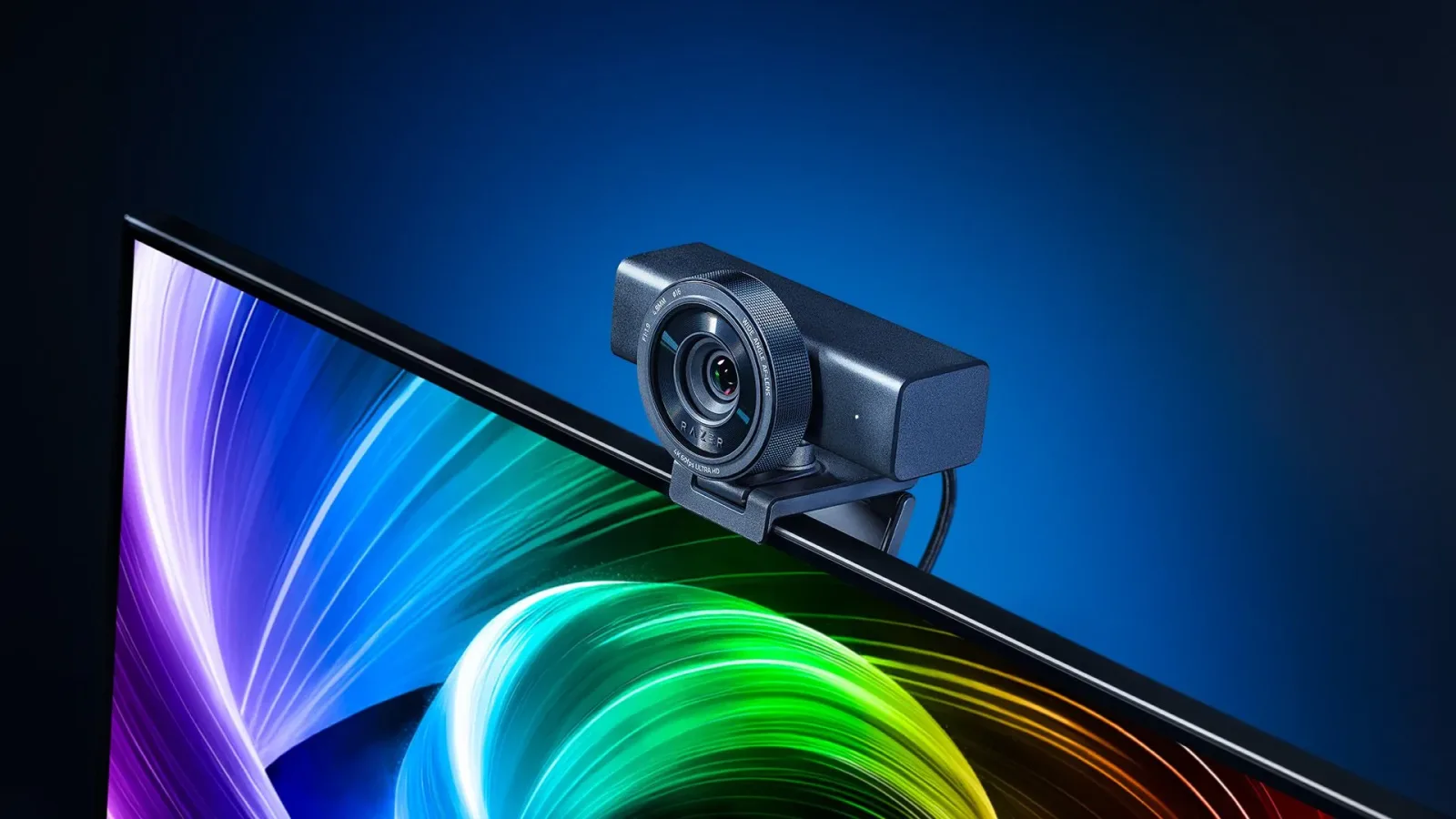
Razer has introduced the Razer Kiyo V2 Pro, a high-end webcam aimed squarely at streamers, video creators, and anyone who wants camera quality beyond the typical built-in laptop sensor. The new model arrives as the long-awaited follow-up to the Kiyo Pro Ultra and brings a major headline feature to the company's creator hardware line: 4K video capture at 60 frames per second.
That specification immediately puts the Kiyo V2 Pro in rare company. Razer describes it as the world's second 4K60 webcam, and its launch signals a renewed push into the premium creator-camera space after a comparatively quiet period for the brand. While many webcams have reached 4K resolution, achieving that resolution at a smooth 60fps is still unusual, particularly in an all-in-one USB camera designed to sit on a monitor or attach to a tripod.
The Kiyo V2 Pro launches at $299.99 / £299.99, matching the original launch price of the Kiyo Pro Ultra. Some early Amazon listings have displayed a higher $349.99 figure, however, so prospective buyers may want to compare regional storefront pricing before making a purchase. At its intended MSRP, it remains a firmly premium webcam, but it is priced to compete with specialized creator cameras rather than ordinary work-from-home peripherals.
A new body for a familiar creator-focused webcam
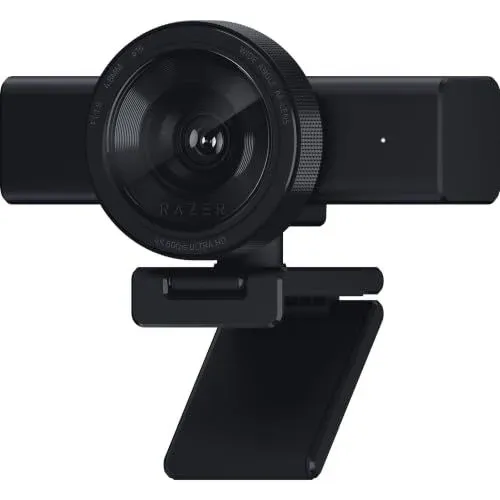
Visually, the Kiyo V2 Pro moves away from the more immediately recognizable form used by earlier Kiyo models. It uses a horizontal body behind the camera face, though the prominent front lens still makes its lineage clear. It is not a small or subtle webcam, and that seems entirely deliberate. Razer's Kiyo Pro line has consistently favored bigger imaging hardware and manual control over the ultra-compact designs used by many mainstream webcam rivals.
For useful background on this topic, read Everwind's Winds of Creation Update Expands Sandbox Play in Early Access.
Inside is a 1/1.8-inch Sony STARVIS 2 sensor paired with an f/1.9 aperture lens. On paper, the sensor is smaller than the sensor found in the Kiyo Pro Ultra, which remains notable for having one of the largest sensors fitted to a webcam. The aperture is unchanged between the two models. Sensor size is only one part of image quality, though, and the newer componentry is intended to support smoother high-resolution recording as well as improved handling of movement.
Razer says the Kiyo V2 Pro can reduce motion blur compared with prior Kiyo webcams while recording in 4K60. That could be particularly important for gaming creators whose videos involve energetic on-camera reactions, fast hand movement, live demonstrations, or frequent shifts between a keyboard, controller, and camera. A 60fps webcam feed can also blend more naturally into video projects built around 60fps gameplay footage.
For a Twitch broadcast or YouTube recording, camera quality is often limited as much by lighting and compression as raw resolution. Still, higher frame-rate 4K recording gives creators more flexibility. They can preserve smoother motion in a high-resolution production, or potentially crop and reframe a 4K image for a 1080p output without sacrificing as much visible detail. That flexibility helps explain why a device like the Kiyo V2 Pro is positioned well above the price of a standard 1080p webcam.
HDR, a wide field of view, and image tuning in Synapse
Razer is also emphasizing ultra-high dynamic range support and a wide-angle view designed to avoid visible distortion around the edges of the frame. A broad, clean field of view is useful for more than group calls. Streamers can show their desk setups, arcade sticks, racing wheels, collectible shelves, or room backgrounds without placing the webcam unusually far away. The promise of limited edge distortion matters because wide lenses can otherwise make faces and nearby objects look stretched near the sides of an image.
The Kiyo V2 Pro is designed to be adjusted through Razer Synapse, the company's software suite. There is a one-click image enhancement mode for users who want a quick improvement without building a custom profile, but the camera also offers substantially deeper settings for people who prefer to control their presentation manually.
Available adjustments include the following:
- ISO sensitivity
- Shutter speed
- White balance
- Exposure
- Gain
- Motion clarity
- Aperture-related DSLR-style image customization
Several of those options were already part of the Kiyo Pro Ultra experience, but they remain important differentiators. Many webcams offer little more than a brightness slider and a few fixed field-of-view choices. Razer's approach is intended for users who want a camera to react more like dedicated imaging equipment, while still retaining the straightforward connection and convenience of a webcam.
Manual control can be especially valuable in gaming rooms, where lighting conditions are often less predictable than a conventional office environment. RGB strips, monitor glow, colorful wall lighting, and dim backgrounds can all complicate automatic exposure and white balance. Giving users the ability to tune a profile can help retain a consistent look from one recording session or stream to the next.
AI auto-framing without generative features
Like many modern webcams, the Kiyo V2 Pro includes AI-powered auto-framing. This is not a generative AI feature. Instead, it is the familiar automated pan, tilt, and zoom-style framing system seen in creator cameras from companies such as Obsbot and Insta360. The software identifies the subject and adjusts the visible frame to help keep that person centered.
For solo creators, auto-framing can be useful when moving around a set, leaning over to show a product, or standing up during a presentation. It may also make a webcam more practical for hybrid work calls, even if the Kiyo V2 Pro's capabilities and price place it well beyond the needs of a typical video meeting. The feature is most appealing when it works quietly in the background, keeping a creator in shot without constant manual repositioning.
Of course, automatic framing is not necessarily the right choice for every broadcast. Streamers with carefully arranged overlays, intentional headroom, or a fixed camera composition may prefer manual framing. The value here is that Razer is providing another option rather than making the camera experience dependent on automation.
Mounting options and a built-in privacy shutter
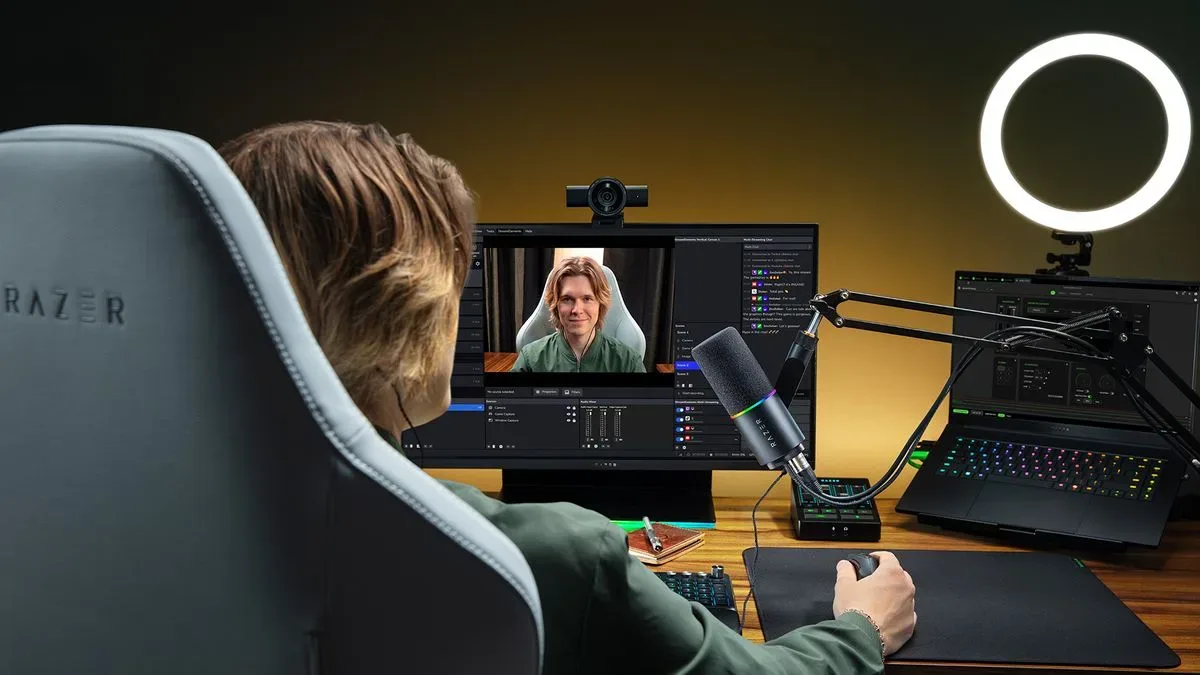
The physical setup is built around flexibility. Razer includes both a universal mount for displays and a standard L-shaped mount, allowing the Kiyo V2 Pro to be secured to a monitor or mounted to a tripod. That matters for creators who want to place the camera farther away, use a different angle, or integrate it into a larger desk rig alongside lighting, microphones, capture hardware, and teleprompters.
Its larger design may be less convenient for frequent travel than tiny clip-on webcams, but it suits a permanent streaming station. The Kiyo V2 Pro's intended audience is likely to prioritize image performance and mounting versatility over slipping the camera into a laptop bag.
Razer has also included an integrated privacy shutter. When the webcam is not in use, the shutter provides a physical way to block the lens. That is a welcome feature for users concerned about unwanted camera access through malicious software or simply wanting a clear visual indication that the device cannot see the room.
There is one omission compared with the earlier Kiyo Pro Ultra: no separate rubber lens cover is included. Razer's view is that a second cover is unnecessary when the camera already has an integrated shutter. Some creators may still miss the extra layer of protection, particularly when transporting a premium camera or trying to keep the front glass protected from dust and accidental contact. For a webcam at this price, that preference is understandable, even if the built-in shutter handles the more important privacy function.
Who the Kiyo V2 Pro is for
The Kiyo V2 Pro is not attempting to be the cheapest route to a better video call. Its pricing, substantial body, large sensor format, 4K60 recording, and extensive settings make its purpose clear: this is a webcam for people who make video a meaningful part of their gaming or creative work.
That includes streamers looking to sharpen their on-camera presentation, YouTubers recording face-cam gameplay, reviewers filming desk-based segments, and creators who want a more capable camera without immediately stepping up to a dedicated DSLR or mirrorless setup. A conventional camera can still offer advantages, but it can also require lenses, power solutions, capture equipment, more space, and a considerably larger investment.
Razer's newest camera aims to narrow that gap. The Kiyo V2 Pro retains the plug-in appeal of a webcam while offering the kind of sensor, controls, and high-frame-rate capture that creators often seek when they outgrow entry-level hardware. Whether its image quality and software experience meet those ambitions will depend on hands-on testing, but its specifications make it one of the more interesting premium webcam launches for streaming and gaming setups.
At $299.99 / £299.99, the Kiyo V2 Pro will need to prove that its 4K60 capture, STARVIS 2 sensor, HDR capabilities, auto-framing, and manual controls justify the investment. For creators who have been waiting for a true successor to the Kiyo Pro Ultra, though, Razer has finally delivered a clear next step rather than a minor refresh.
Community
Discussion
Start the conversation.
No comments have been posted yet.