

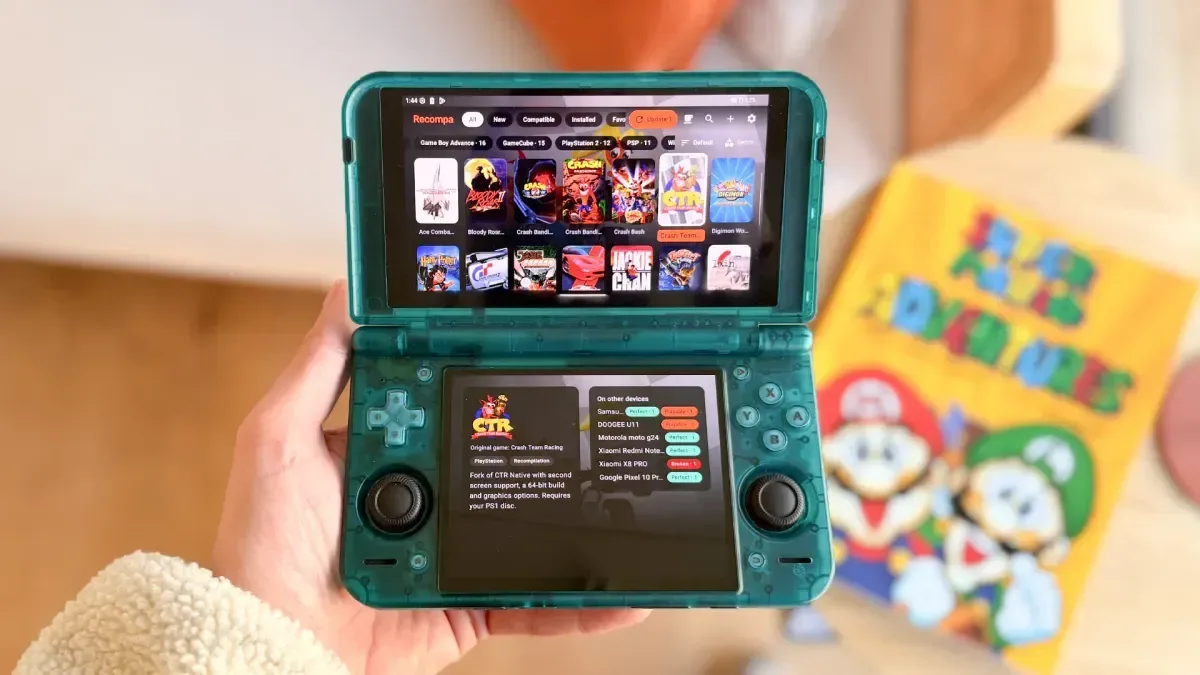
Native game ports, recompilations and decompilations have become one of the most exciting corners of Android handheld gaming. They can offer experiences that run directly on a device rather than through traditional emulation, often bringing useful modern features, cleaner performance or control options tailored to portable hardware. The downside has been discoverability. Projects are spread across individual repositories, installation requirements differ from game to game, and newcomers can quickly find themselves dealing with technical documentation, patches and file placement before they ever launch a title.
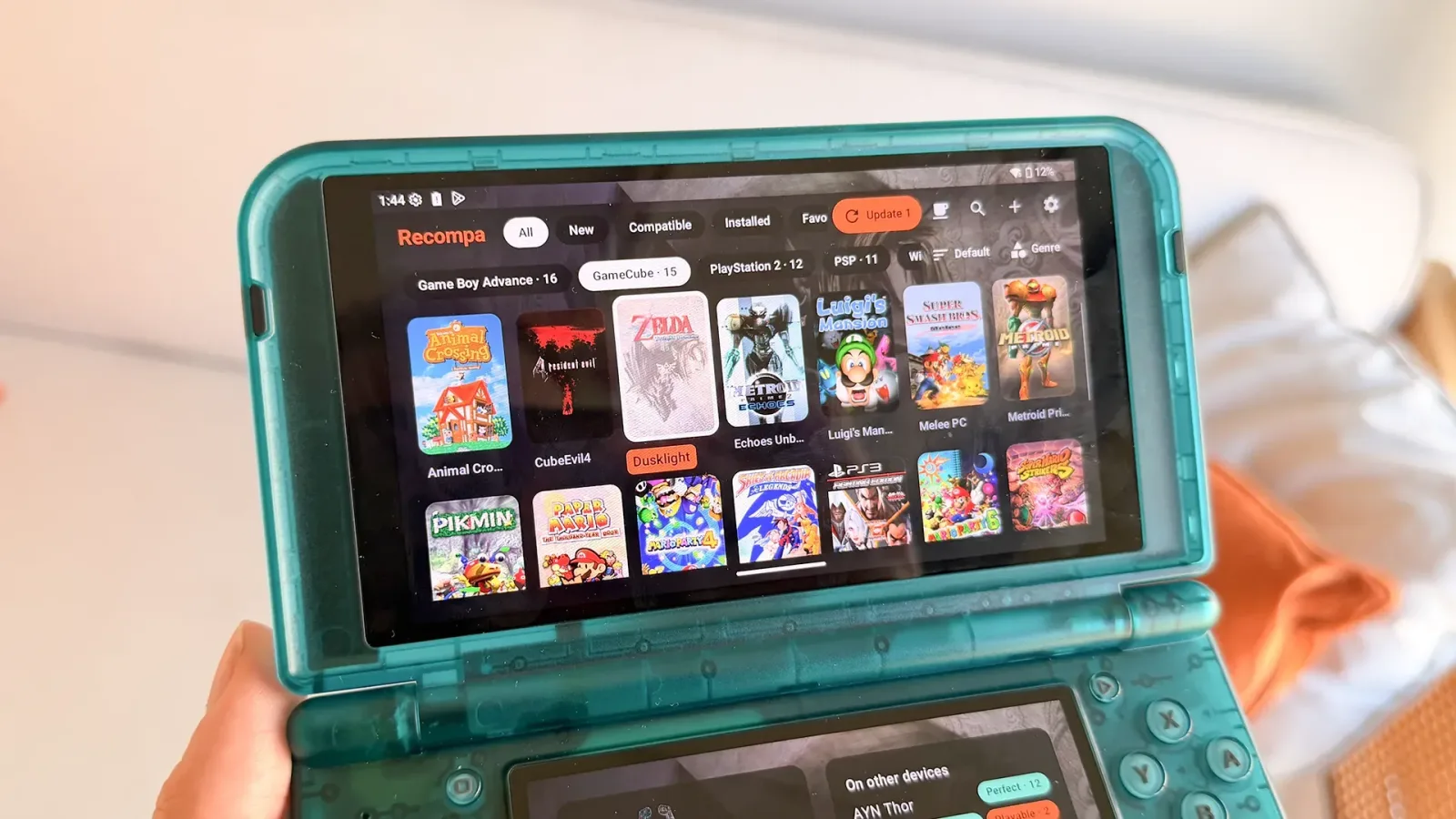
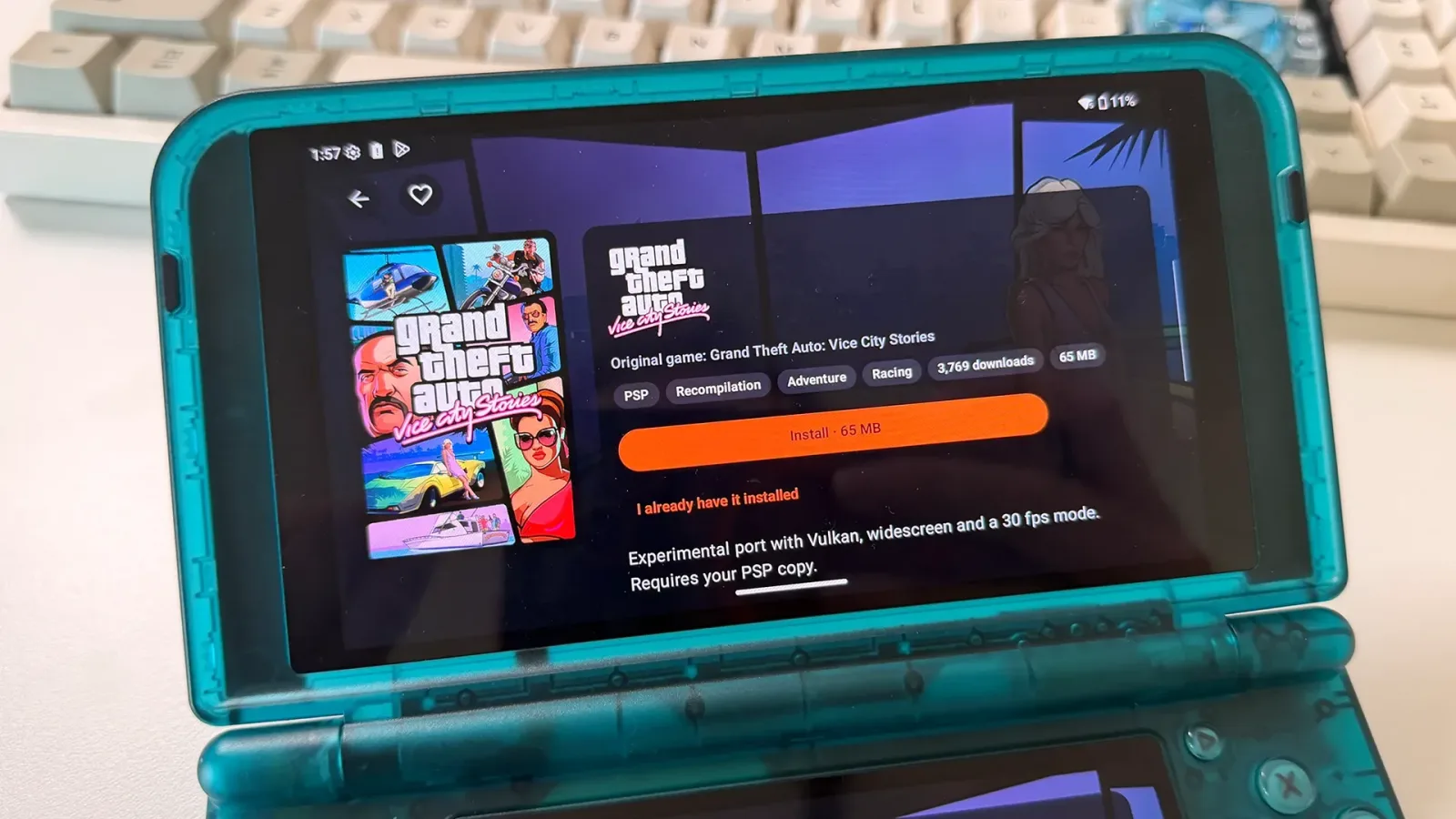
Recompa is a new free Android application designed to make that process considerably more approachable. Built for Android phones, tablets and controller-equipped handhelds, it serves as a catalog and installer for native ports, source ports, recompilations and decompilations. Rather than requiring users to track down every project separately, the app presents supported releases in a storefront-style interface with browsing, search, game pages and installation tools.
The central idea is not that Recompa distributes original commercial games. For ports that require copyrighted assets, players must provide their own original ROM or game data. The app can then check those files and automatically patch or place them where a particular port expects them. That approach is intended to make installation easier while keeping the original game files in the hands of users who own them.
A catalog focused on games that run without emulation
At launch, Recompa's catalog includes more than 250 recompilations, decompilations and source ports. These projects cover games associated with a broad selection of older platforms, including Nintendo 64, GameCube, Game Boy Advance, PSP and Xbox 360. The common thread is that the listed projects are intended to run natively on Android instead of being played through a conventional emulator.
For useful background on this topic, read Ocarina of Time's Chewiest Characters, Ranked From Crunchy to Gummy.
That distinction matters for handheld enthusiasts. Emulators remain a vital part of retro gaming and are frequently the simplest way to access a large library on one device. Native projects, however, can sometimes provide different advantages: a game may be adapted to a modern operating system, gain support for contemporary screen formats, receive quality-of-life improvements, or offer behavior that is not identical to an emulated release. The exact benefits depend on each individual port, and compatibility can vary substantially between devices.
Recompa aims to reduce some of that uncertainty before installation. Individual port pages can indicate whether a project is suitable for the user's Android device, while the app also includes community compatibility reports. That could be especially useful in the Android handheld space, where processor performance, graphics drivers, controller layouts, display shapes and operating-system versions are far from uniform.
For users who have already completed a manual installation outside the app, Recompa can link an existing port rather than requiring a fresh setup. It is a small but welcome detail for players whose handhelds already contain a mixture of manually installed projects and newly discovered releases.
Owned files, automatic checks and repository downloads
One of Recompa's most important features is its game-file wizard. When a native port depends on a ROM, disc data or another original game file, the wizard checks the supplied data and puts it in the location required by that port. In applicable cases, it can patch the user's original ROM automatically. This removes a common barrier for people who understand the appeal of decompilation projects but do not want to spend an evening deciphering a readme file and moving folders around through Android's file manager.
The app also emphasizes verification. Recompa downloads each APK from its creator's repository, then checks its SHA-256 hash and signature before installation. In practical terms, those checks are intended to confirm that a downloaded package matches the expected release and has not been altered along the way. That is particularly meaningful for an app that acts as a discovery and installation hub for software originating from many independent developers.
Even so, users should treat every community project with care. A verification system can help confirm a package against its expected signature and hash, but players should still read a port's requirements, understand what files it needs and ensure they are comfortable installing Android packages from outside the Play Store. Native ports can also have project-specific limitations, including incomplete features, device-specific issues or requirements for legally obtained data files.
Updates without repeatedly revisiting project pages
Keeping a library of fan-made ports current can be another chore. Recompa addresses that with a unified update system. Players can update all installed ports at once, receive notifications when new versions become available and roll back to an earlier version if an update causes a problem. Recompa itself can update as well.
That rollback option is notable because native projects are often actively developed. A new build may fix a crash, expand controller support or improve performance, but updates can occasionally introduce regressions on particular hardware. Being able to return to a prior version gives handheld owners an alternative to manually hunting through release histories if a formerly stable setup stops behaving as expected.
Downloads can continue in the background, with pause and resume support so that progress is not lost when a player leaves the app. Recompa also surfaces recently added ports and provides version-change information after updates. Together, those features make the app feel less like a one-time installer and more like a library manager for an evolving collection of Android-native releases.
Designed around controller-driven Android hardware
Although Recompa works on standard Android phones and tablets, its interface is explicitly designed for controller-based navigation. D-pad and shoulder-button controls are a priority, with search and favorites kept close at hand. That makes sense for the growing number of dedicated Android handhelds where touch input is available but not always the most natural way to browse a game collection.
The app is particularly aimed at devices such as the AYN Thor, including dual-screen hardware. On a compatible dual-screen handheld, Recompa can use the lower display for a port page, image gallery and download queue while the other screen remains focused on navigation. This is a practical use of the form factor rather than simply treating the second display as extra empty space.
There is also a frontend mode that runs full-screen and allows Recompa to function as a handheld's home screen. For users who want their device to boot into a controller-friendly game browser instead of a more general Android launcher, that could make the system feel more console-like. The app supports six interface styles: Classic, Shelves, List, Arcade, Mosaic and Showcase. These presets change the layout of the library, port pages and settings screens, rather than only applying a different color scheme.
That level of presentation may sound secondary to installation tools, but it is meaningful on a device that is used primarily for games. A library manager that works comfortably from physical controls and can fit a player's preferred browsing style is more likely to become part of the normal handheld routine.
Availability, languages and device requirements
Recompa is available as a free APK from its official website. It is not currently distributed through the Google Play Store, a situation tied to Play Store restrictions around apps that download other games or applications internally. As a result, installation requires Android's usual sideloading process.
The app requires Android 8.0 or later. While it has been designed with handhelds in mind, phones and tablets are supported too. Players should not assume that every catalog entry will run on every Android device, however; each port has its own technical demands, and Recompa is intended to identify compatible options for the hardware in use.
Localization is available in English, Spanish, French, Portuguese and German. Users can also rate how a port performs and suggest projects that are not yet in the catalog, without needing a GitHub account. That lowers the barrier not only for installing projects, but also for contributing useful compatibility information back to other players.
A potentially useful bridge between projects and players
Recompa will not eliminate the need to own required game data, nor can it guarantee that every independent port will work perfectly across Android's enormous hardware range. But its combination of cataloging, verified repository downloads, file checking, patch assistance, update management and controller-first design addresses several of the most frustrating parts of the native-port scene at once.
For experienced Android handheld owners, it offers a way to consolidate an increasingly scattered library. For curious newcomers, it could provide a far friendlier starting point than manually searching repositories and interpreting installation instructions one project at a time. As native Android recompilations and ports continue to grow, a dedicated tool that helps players find, install and maintain them may become just as useful as the projects it organizes.
Community
Discussion
Start the conversation.
No comments have been posted yet.