

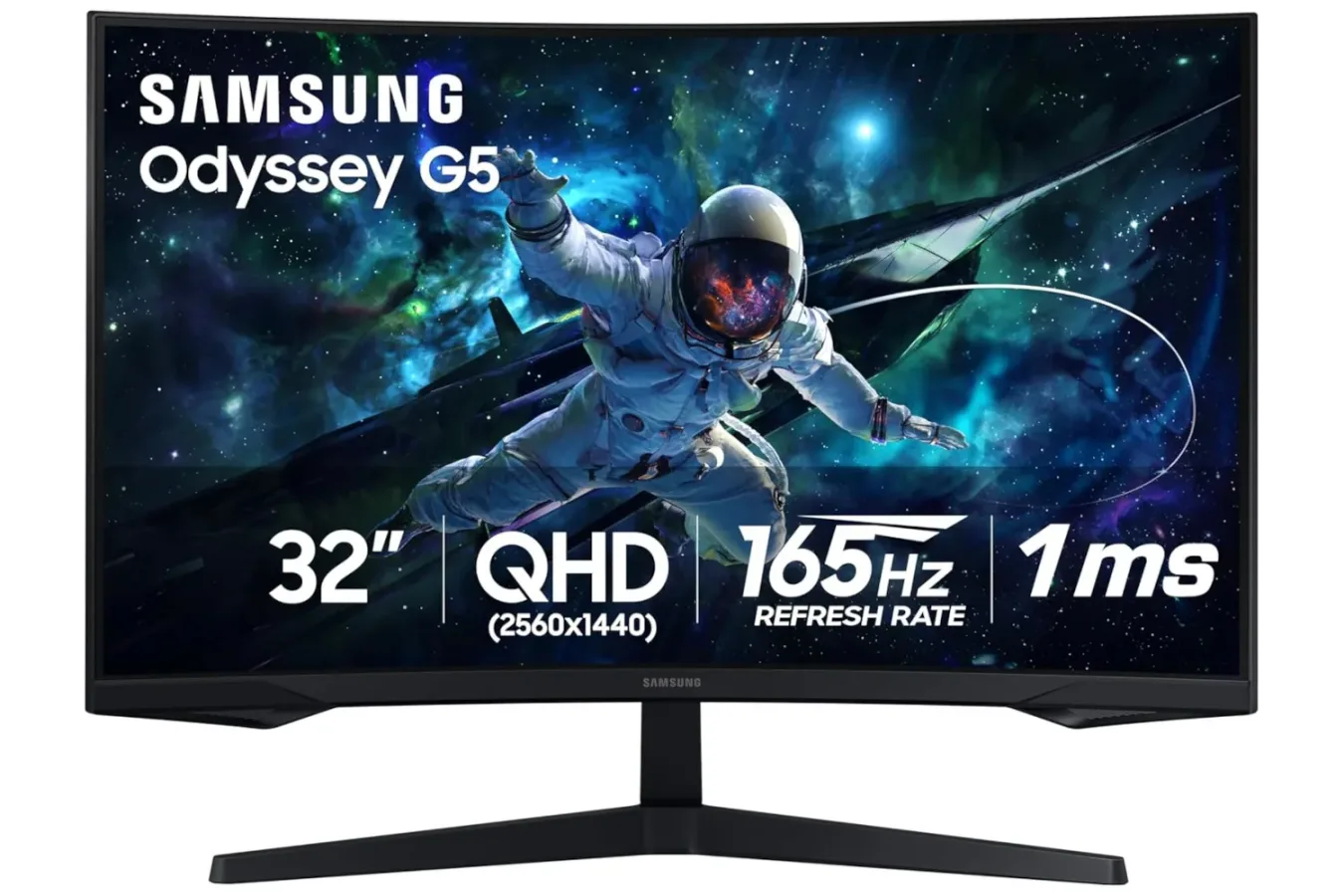
Gaming display upgrades can be among the most noticeable improvements a PC player makes, but they are also easy to postpone when a new monitor carries a premium price. A current deal on Samsung's 32-inch Odyssey G55C curved gaming monitor brings that question into more affordable territory: the display is listed for $190, representing a 42% reduction from its usual price.
The timing is notable because Prime Day promotions are approaching, and early discounts are already appearing across a range of gaming hardware. As with any retailer-led price cut, the listed price and stock can change without notice. Still, the combination of a large curved screen, 2560 x 1440 resolution, a 165Hz refresh rate, and a 1ms response time makes the Odyssey G55C worth a close look for players considering a monitor replacement.
At $190, it is positioned as an option for gamers who want to move beyond a standard 1080p display without stepping into the much higher costs commonly attached to premium ultrawide, 4K, or OLED monitors. Its feature set is aimed primarily at immersive single-player games and responsive competitive play, although the actual experience will depend on the PC hardware connected to it and the games being played.
A 32-inch curved screen built for a more enveloping view
The defining physical feature of the Odyssey G55C is its 32-inch panel with a 1000R curve. The "R" refers to the radius of the screen's curvature, with a lower number indicating a more pronounced bend. Samsung's 1000R approach is intended to follow the general field of view of a seated player, placing the edges of a large panel closer to the viewer than they would be on a flat display.
For useful background on this topic, read Space Marine 2 Players Push Back on Twitch Subscription Requirement for Victrix Guard Shield.
That can make a meaningful difference on a 32-inch screen. A display at this size gives games plenty of visual real estate, but a flat panel can require more eye movement from one side to the other when viewed at a desk. The curve is designed to make the screen feel more unified, especially in first-person games, driving games, flight experiences, and large-scale exploration titles.
Games with expansive scenery are likely to be a natural fit. A space exploration game such as No Man's Sky, for example, can benefit from the display's large image and curved presentation when players are scanning alien planets, navigating a cockpit, or simply taking in a wide horizon. The monitor will not change a game's field of view by itself, but its size and shape can affect how that image feels at a typical desktop viewing distance.
The same characteristics may appeal to players who split their time between games and media. Films, television, and other video content can gain from the larger panel, while desktop work benefits from the added workspace offered by its resolution. A 32-inch screen is not automatically ideal for every desk, however. Buyers should consider their available space, seating distance, and whether they prefer a more intense curved image over the geometry of a flat panel for everyday productivity tasks.
1440p provides a middle ground for gaming PCs
The Odyssey G55C runs at 2560 x 1440, commonly described as 1440p or QHD. That resolution sits between 1920 x 1080 Full HD and 3840 x 2160 4K. For many PC players, it remains a practical middle ground: it can deliver a visibly sharper image than 1080p while generally demanding less from a graphics card than native 4K gaming.
That balance matters particularly when pairing high resolution with high refresh rates. More pixels require more GPU performance, while rendering more frames per second places another demand on the system. At 1440p, owners of appropriately capable PCs may have a more realistic path to taking advantage of a 165Hz panel in esports titles and less demanding games, while still enjoying strong image detail in visually demanding releases.
Of course, the monitor cannot create performance that a PC does not produce. A system's processor, graphics card, memory, game settings, and the title itself all determine frame rate. In newer, graphics-heavy games, users may need to adjust settings or use supported upscaling technologies to target substantially higher frame rates. The value of a 165Hz display is not limited to a perfect 165 frames per second, though; refresh rates above 60Hz can still make desktop navigation and supported gameplay appear smoother when the system can supply the frames.
165Hz refresh rate and 1ms response time target smoother action
The monitor's 165Hz refresh rate is a major part of its gaming-focused specification list. A 165Hz screen can refresh its image up to 165 times each second, compared with 60 updates per second on a conventional 60Hz display. When games run at matching or similarly high frame rates, motion can look more fluid and input can feel more immediate.
This is especially relevant in genres where rapid visual updates matter: competitive shooters, racing games, fighting games, sports titles, and other fast-moving experiences can all benefit. Players upgrading from an older 60Hz panel are often likely to notice the greater smoothness quickly, though results will vary based on the game and PC configuration.
Samsung also lists a 1ms response time. Response-time figures relate to how quickly pixels change state. Faster pixel transitions are intended to reduce visible trailing or blur during fast motion. It is important to distinguish that specification from internet latency, controller delay, or a game server's responsiveness: a monitor's response time is only one element of the full gameplay chain. Nevertheless, it is an appropriate feature to seek in a display intended for competitive and high-speed games.
FreeSync support is another relevant inclusion. Adaptive-sync technology allows a compatible setup to coordinate the display refresh behavior with the frames being delivered by the graphics hardware. In favorable conditions, this can help reduce visual tearing and make fluctuations in frame rate less distracting. Compatibility and the precise behavior of adaptive sync can depend on the connected hardware and settings, so prospective buyers should confirm their own system's support before treating it as a guaranteed solution for every configuration.
Comfort features matter during longer sessions
Raw speed and resolution tend to dominate monitor shopping, but comfort can be just as important for anyone who plays or works at a screen for hours. The Odyssey G55C is described as having a glare-free screen and eye-care-oriented features intended to make extended viewing more comfortable.
No monitor can remove the need for sensible habits. Room lighting, screen positioning, brightness settings, viewing distance, regular breaks, and an appropriate desk setup all remain important. But glare reduction can be useful in rooms where windows or overhead lights otherwise produce distracting reflections. This is particularly valuable on a large display, where reflected light can affect a substantial portion of the image.
The practical appeal of a multipurpose 32-inch monitor is also clear. When the day's gaming session is over, the same 1440p workspace can be used for browsing, documents, streaming, and general PC use. The monitor is being presented as a gaming model first, but it is not limited to gaming by virtue of its core display specifications.
Who should consider this deal?
At the listed $190 sale price, the Samsung Odyssey G55C looks most compelling for PC players coming from a smaller, lower-resolution, or 60Hz-class screen. It may be an especially sensible upgrade for someone who wants a larger and more immersive desk setup but does not want to pay for 4K hardware demands or a premium display technology.
- Consider it if: you want a 32-inch curved 1440p monitor, your PC can make use of higher refresh rates, and you value immersive single-player games alongside competitive titles.
- Consider it if: you are looking for adaptive-sync support, a 165Hz refresh rate, and a gaming-focused response-time specification at a discounted price.
- Think carefully if: desk space is limited, you strongly prefer flat panels for productivity, or your current PC is unlikely to deliver the frame rates you want at 1440p.
- Check before buying: the retailer's current price, product listing details, return policy, and the connection options needed for your particular PC setup.
The 42% discount is the headline attraction here, but the G55C's underlying specifications explain why the price is notable. A 32-inch 1000R curved screen, QHD resolution, 165Hz refresh rate, 1ms response time, and FreeSync support form a balanced package for PC gaming. Deals are temporary by nature, so anyone interested should verify that the $190 listing is still active before making a decision.
Community
Discussion
Start the conversation.
No comments have been posted yet.