

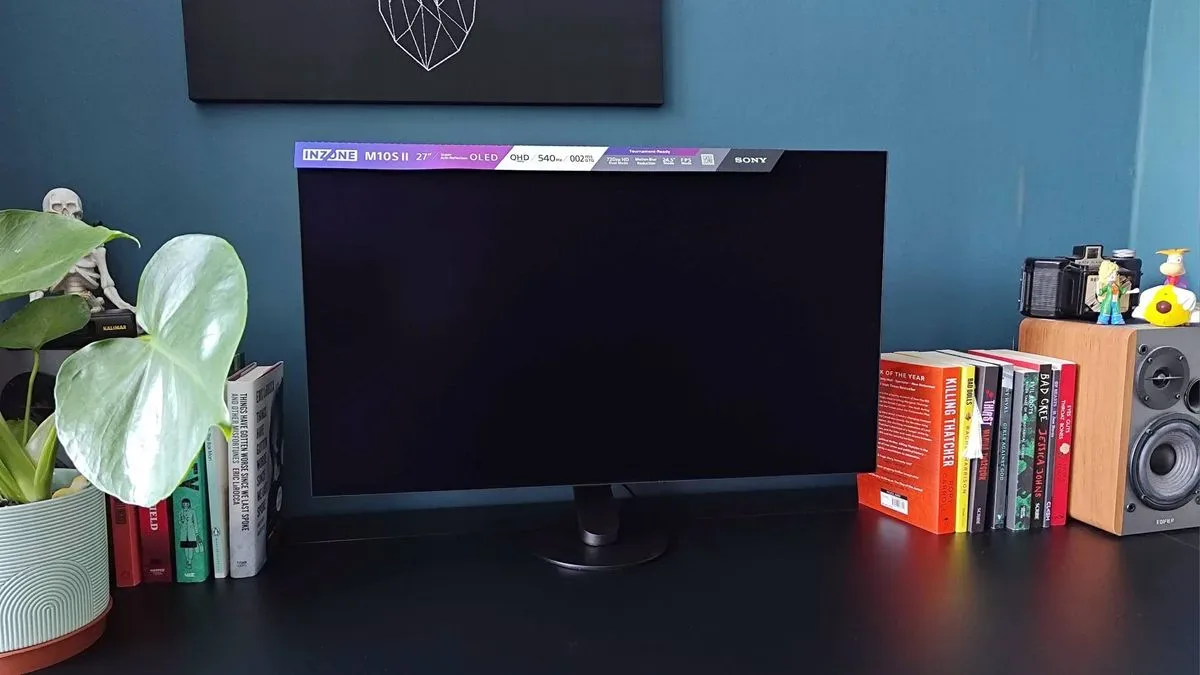
The Sony Inzone M10S II is an unapologetically specialist gaming monitor. It is not trying to be the most universally useful screen for every kind of desk, every console, or every genre. Instead, its priorities are speed, motion clarity, competitive shooter features, and a clean OLED image at 1440p. For the right PC player, that concentration is exactly what makes it compelling. For everyone else, the same narrow focus may make its $1,099.99 / £1,199 price more difficult to justify.
At its core, this is a 27-inch WOLED display with a 2560 x 1440 resolution and a 540Hz refresh rate. Sony has also added a dual-mode option that drops the resolution to 1280 x 720 in pursuit of a remarkable 720Hz. It is an update to the original Inzone M10S rather than a wholesale reinvention: the design is largely familiar, the target audience remains competitive PC players, and the fundamental OLED strengths are intact. Still, Sony has improved brightness, introduced a more formidable anti-glare finish, and packed in extra motion-focused options that make a meaningful difference to its esports credentials.
The result is one of the slickest displays available for players whose gaming lives revolve around titles such as VALORANT, Counter-Strike 2, and Overwatch. It is also a display that raises an important question: how much resolution should players be willing to sacrifice in exchange for refresh rates that only a relatively small selection of games and high-end PCs can properly exploit?
Key Sony Inzone M10S II specifications
- Screen size: 27 inches
- Panel: WOLED
- Resolution: 2560 x 1440, with 1280 x 720 dual mode
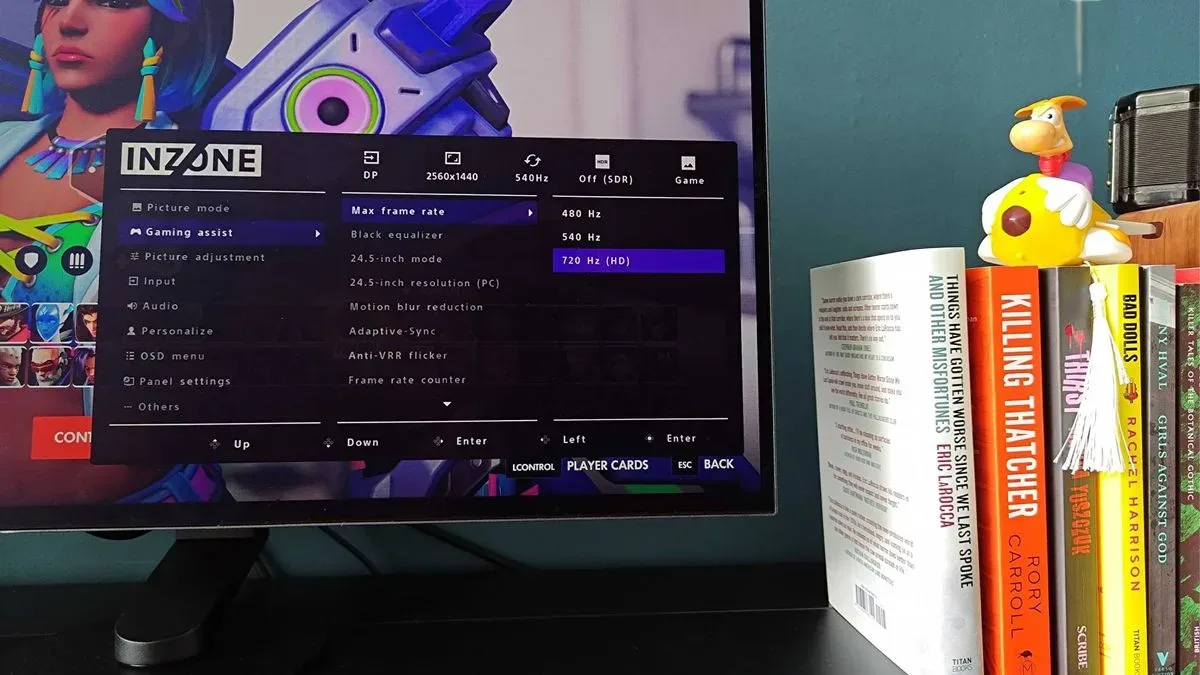
- Refresh rate: 540Hz at 1440p, 720Hz in dual mode
- Brightness: 335 nits
- Contrast ratio: 1,500,000:1
- Aspect ratio: 16:9
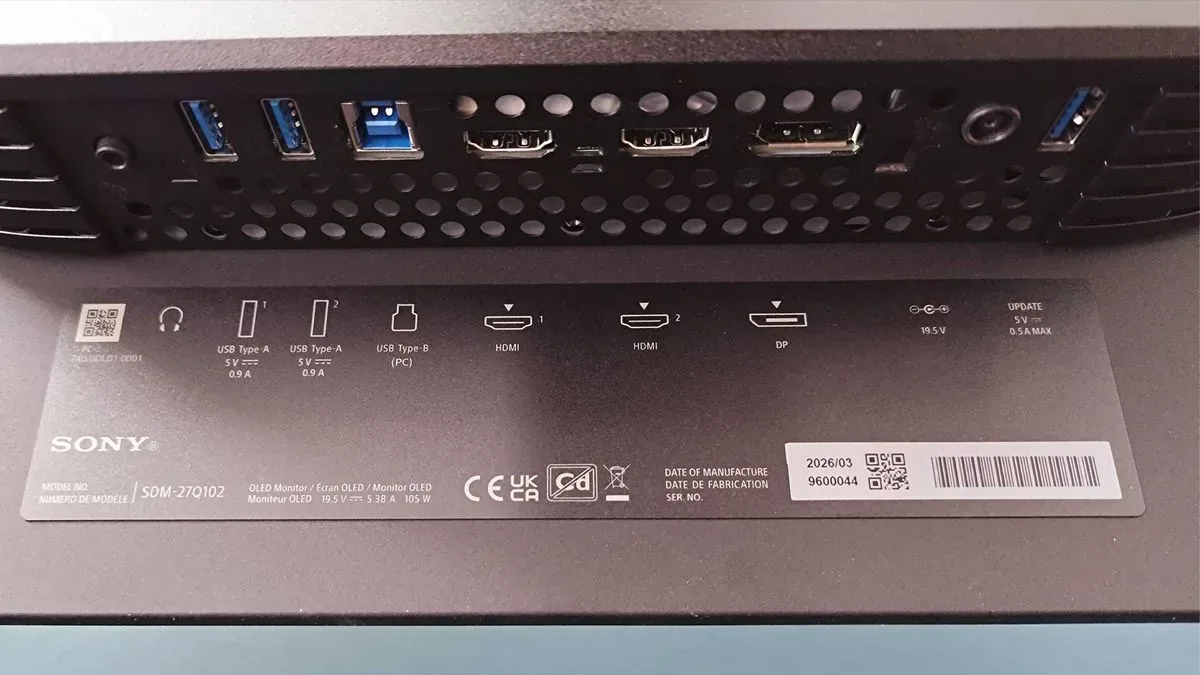
- Inputs: Two HDMI 2.1 ports and one DisplayPort 2.1a
- Other ports: Two USB-A, one USB-B, and a 3.5mm headphone jack
A refined design that still looks distinct
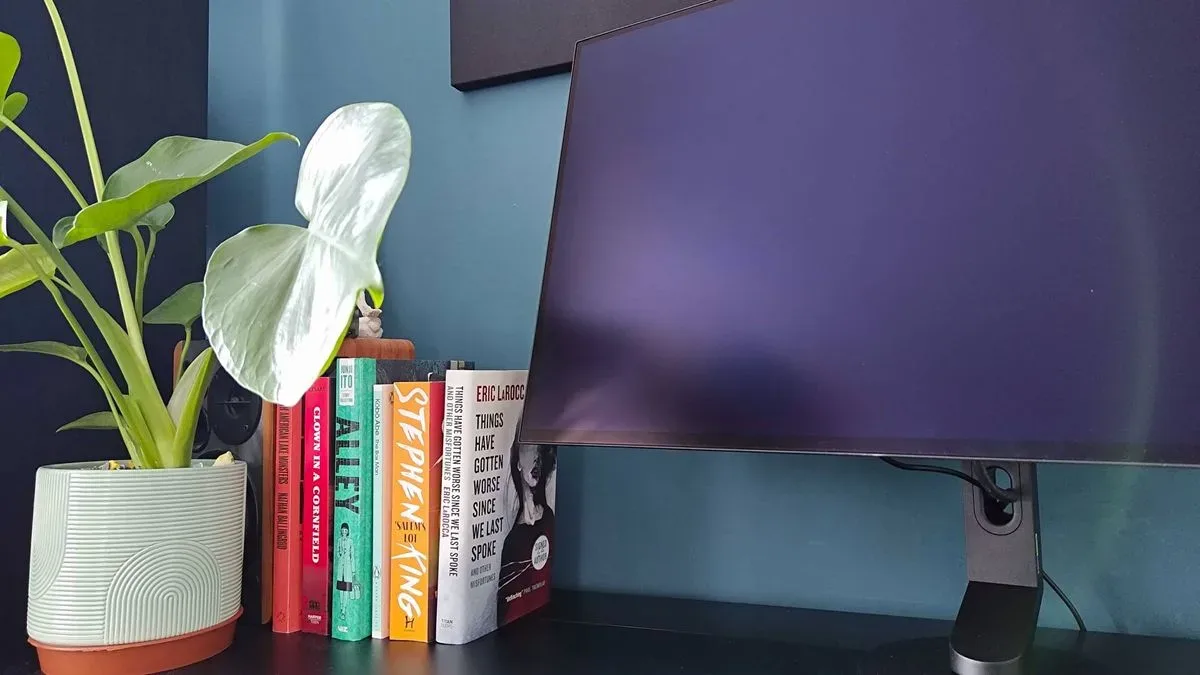
Gaming-monitor design often falls into a predictable routine of broad V-shaped feet, oversized angular bases, and aggressive styling that can consume a surprising amount of desk space. Sony has avoided that trap with the Inzone M10S line, and the M10S II continues to be one of the more elegant gaming displays on the market.
For useful background on this topic, read Backrooms Level X PS5 Deluxe Edition Gets Physical Launch Date.
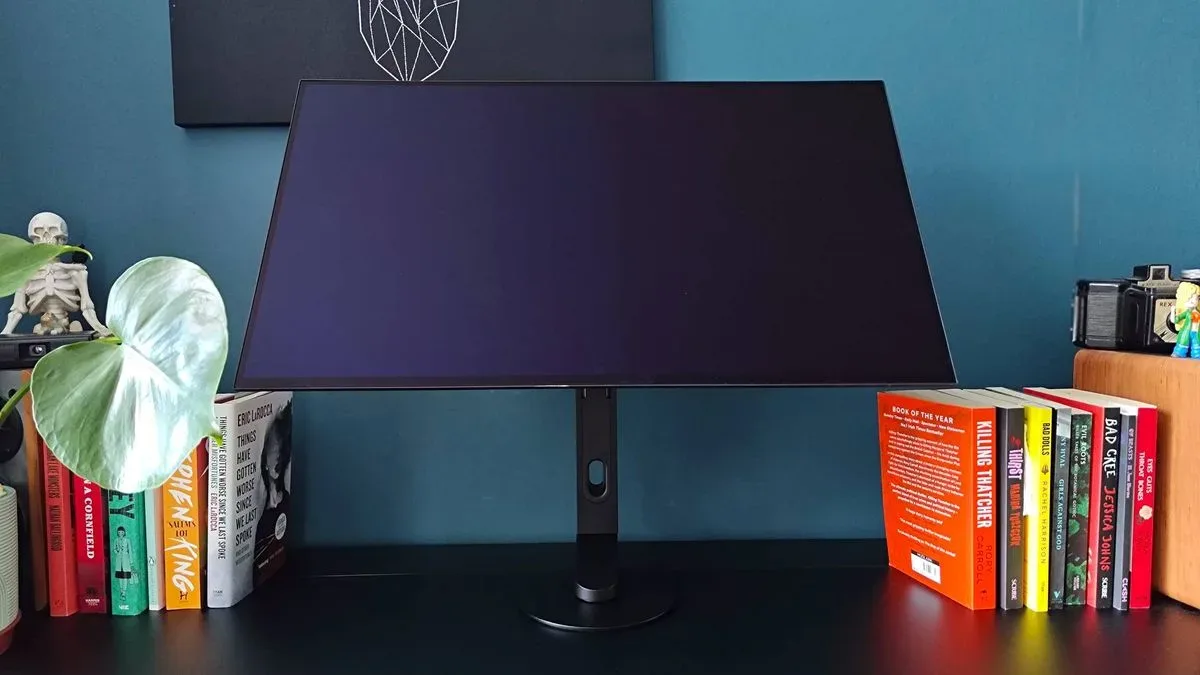
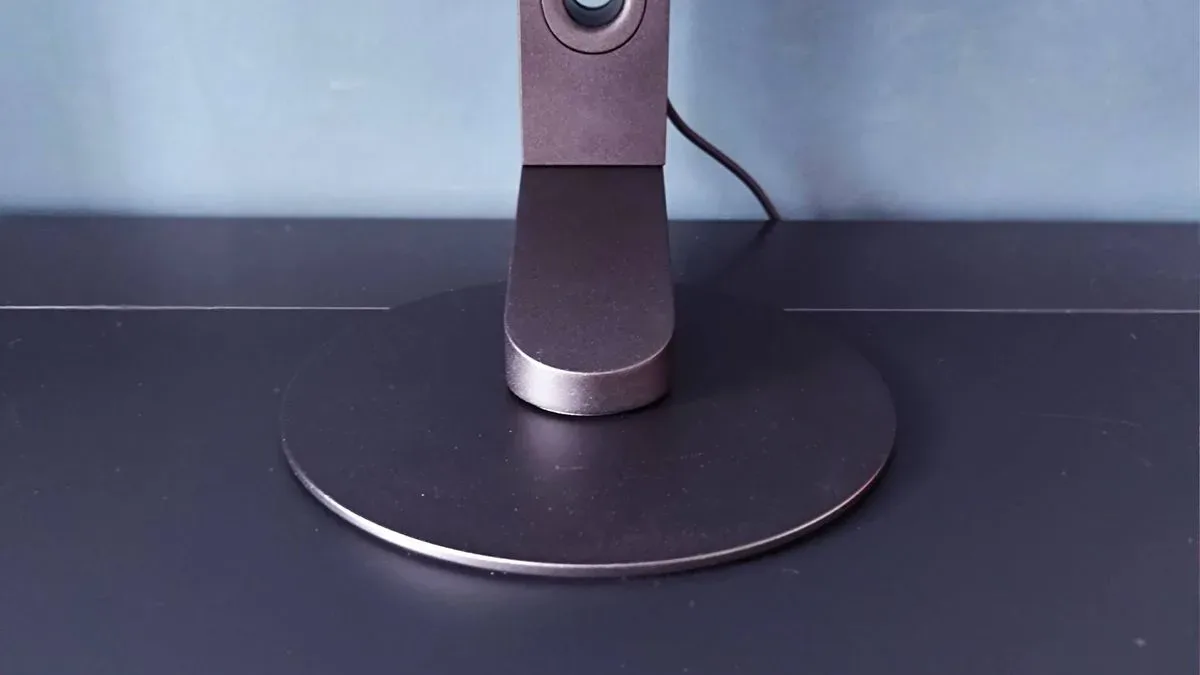
Its low-profile circular pedestal is especially effective. The base is only 4mm thin, helping it sit almost flush against a desk. That is not merely a visual trick: peripherals can slide over the base far more easily than they can over the raised lips found on many competing stands. The cantilever-style arm and disc-shaped foot also permit broad 360-degree movement while keeping the screen's physical presence restrained.
Sony has added 10 degrees of extra forward tilt this time, a small but potentially welcome adjustment for competitive players who position a monitor unusually close or angle it downward. There is still no portrait mode, however. Anyone hoping to rotate the M10S II for a vertical chat window, work panel, or secondary screen will need to look elsewhere or use another mounting solution.
There is a practical compromise beneath that polished exterior. The cable-routing opening remains fairly narrow, while the ports are tucked underneath the rear lip of the monitor. That keeps cables visually discreet, but reaching the connections is not particularly convenient. It is a common monitor-design issue, but an awkward one on a premium screen that may be regularly switched between systems.
For another perspective on this story, read Sony Inzone M10S II Pushes 720Hz, but Its Best Case Is Still the Serious PC Shooter Desk.
The missing remote remains an avoidable frustration
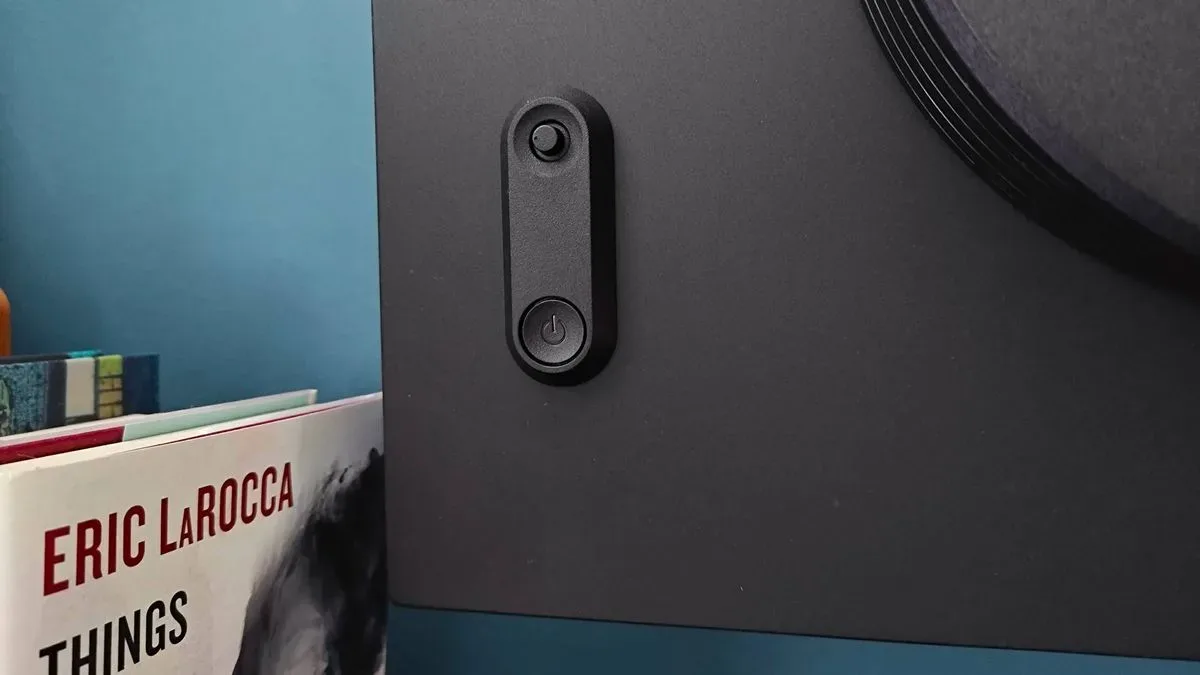
Sony's on-screen display is controlled through a rear-mounted joystick, accompanied by a separate power button. The system works, and it is not unusually difficult compared with many gaming monitors. Yet a remote control would still be a much better answer for a screen costing more than $1,000.
Changing picture modes, adjusting brightness, or experimenting with competitive features should not require reaching around the panel and pressing on its side. Doing so can make the display wobble slightly on its stand, even if it is in no danger of falling. A simple wireless remote would make quick adjustments far more comfortable, especially for users who move between competitive presets, HDR content, and general desktop use.
It is easy to treat a remote as an entertainment-monitor luxury, but it has value on an esports display too. Fast access to settings is useful regardless of whether a player is watching a film or setting up for a match. Sony's control scheme is serviceable, but it is one area where the M10S II feels less considered than its panel technology and physical design.
Anti-glare performance is a major strength
The M10S II's matte finish and anti-glare treatment are among its strongest selling points. OLED monitors are frequently prized for their deep blacks and vivid color, but many models use glossy coatings that can become difficult to use in bright rooms. Reflections can quickly overwhelm dark scenes, turning the desktop, the player, and nearby windows into visible parts of the image.
Sony's coating does an impressive job of minimizing that distraction. Even in a testing position beside a bright south-facing window, the display was able to resist obvious reflections. That makes it a notably more flexible choice for daytime use than a glossy alternative, particularly for players who cannot completely control ambient lighting around their desk.
There is a maintenance caveat. Anti-glare coatings can be more delicate than conventional screen surfaces, and aggressive cleaning products are best avoided. A microfiber cloth is the safer option for removing fingerprints or smudges. Care is worthwhile here, because damaging or leaving residue on the coating can undermine the very reflection resistance that makes the display stand out.
540Hz at 1440p is the real headline
The most practical and impressive mode on the Inzone M10S II is its default 1440p 540Hz configuration. It combines a sharp resolution for a 27-inch desktop monitor with a refresh rate that is far beyond the needs of most games, but highly attractive to serious competitive players. Motion is exceptionally fluid, and the panel provides the responsiveness expected from a screen developed with input from Fnatic, the esports organization best known for competitive VALORANT.
Sony has also expanded its gaming-assist tools. Variable Refresh Rate flicker reduction is designed to reduce distracting brightness fluctuations in darker scenes while VRR is active. That can matter in shooters, where rapidly moving from bright environments into shadows can make it harder to visually follow opponents. The monitor additionally includes Motion Blur Reduction options, including black frame insertion, to further improve clarity and reduce perceived ghosting.
Those features place the M10S II in direct competition with specialist high-refresh-rate esports displays. They will not turn an average player into a tournament champion, of course, but they give skilled players a screen with few obvious speed-related limitations. If a player has the PC hardware to feed it extremely high frame rates, the M10S II is prepared to show them.
720Hz is thrilling, but 720p is a steep trade-off
The new 720Hz dual mode is the specification that will grab attention, and it is genuinely impressive in action. There is a tangible feeling of added smoothness when moving from 540Hz to 720Hz. In fast multiplayer shooters, cursor movement, camera pans, and split-second reactions all feel extraordinarily immediate.
However, getting there means accepting a 1280 x 720 resolution. Sony uses integer scaling to avoid the ugly results often associated with sending a lower-resolution image to a 1440p panel, but no scaling method can erase the basic loss of detail. Modern games are generally built around higher-resolution displays, and 720p can look conspicuously soft and sparse outside the narrow competitive environments where every frame is more important than visual fidelity.
The mode also constrains the visible play area to 24.5 inches rather than using the entire 27-inch panel. That mirrors the size preference of some professional competitors, but it will not suit every player. For many users, 1080p would represent a more comfortable lower limit for a dual-mode monitor, offering a less drastic image-quality compromise while retaining meaningful performance benefits.
There is also the unavoidable matter of frame-rate caps and PC performance. Overwatch, for example, is capped at 600fps, limiting how much of the monitor's 720Hz ceiling it can use. Games such as VALORANT and Counter-Strike 2 are better candidates, assuming the rest of the system is capable of sustaining such extraordinary performance. The 720Hz setting is not a gimmick, but it is absolutely a niche feature for a niche audience.
Excellent OLED image quality beyond competitive games
Thankfully, the M10S II does not become a one-note display when the match ends. Its WOLED panel delivers the rich color, deep black levels, and striking contrast expected of OLED technology. The improved brightness helps HDR highlights and vibrant scenes make a stronger impression than on its predecessor, giving cinematic games a lavish look at 1440p.
For a title like Cyberpunk 2077, the display's ability to show dark spaces without losing OLED's punch makes it a strong everyday main monitor. It is not necessarily the top choice for users chasing the absolute highest color accuracy from a QD-OLED panel, but it has advantages of its own. Those who dislike the slightly raised or bluish look black can take on in some QD-OLED conditions, or who simply do not want a glossy screen, may prefer Sony's WOLED approach.
In other words, the M10S II can handle visually demanding single-player games very well. Its main limitation is not image quality. It is value: buyers must decide whether an esports-first 1440p monitor is the right place to spend this much money when 4K OLED and more broadly capable alternatives exist.
Not a natural fit for retro or console flexibility
The dual-mode 720p setting might sound useful for older consoles and retro setups, but the M10S II is not an especially accommodating display for that purpose. Tests with HDMI upscalers exposed problems with aspect-ratio handling. While 720p can look crisp, the monitor forces a widescreen presentation in situations where a 4:3 image would be preferable. A 1280 x 960 signal is squeezed too narrowly, while 1080p preserves more appropriate dimensions but looks blurrier due to non-integer scaling.
Another limitation is that the relevant dual-mode menu is only accessible with a PC connected. That makes the functionality less helpful for dedicated console and upscaler use. It would be unfair to judge an esports OLED primarily by retro standards, but at this price, broader compatibility would have elevated its overall value.
PlayStation 5 owners face a similar issue. The monitor can recognize a PS5 connection and automatically select a picture mode, yet it does not include a broader suite of console-oriented enhancements or built-in speakers. A PS5 can certainly be connected through its HDMI 2.1 ports, but a 4K monitor is likely to make more sense for players buying a premium screen chiefly for Sony's console.
Verdict
The Sony Inzone M10S II is a superb high-end monitor for competitive PC shooter players. Its 1440p 540Hz mode is exceptionally fast without giving up the visual richness of OLED, its anti-glare coating is among the best reasons to choose it over glossy rivals, and Sony's added VRR flicker reduction and motion-clarity settings reinforce its esports purpose.
The 720Hz mode proves that the monitor can push speed even further, though the 720p compromise will be too severe for many players and too situational for others. Missing conveniences such as a remote, portrait rotation, better retro handling, speakers, and more substantial PS5-focused features prevent it from being the all-purpose dream display its premium price might suggest.
Still, Sony has successfully refined an already strong formula. Players with powerful PCs, a preference for first-person shooters, and a desire for a matte OLED display that can shrug off bright-room glare should put the Inzone M10S II near the top of their shortlist. Everyone else should carefully consider whether they would get more practical value from a 4K model or a monitor designed around a wider range of platforms and games.
Community
Discussion
Start the conversation.
No comments have been posted yet.