

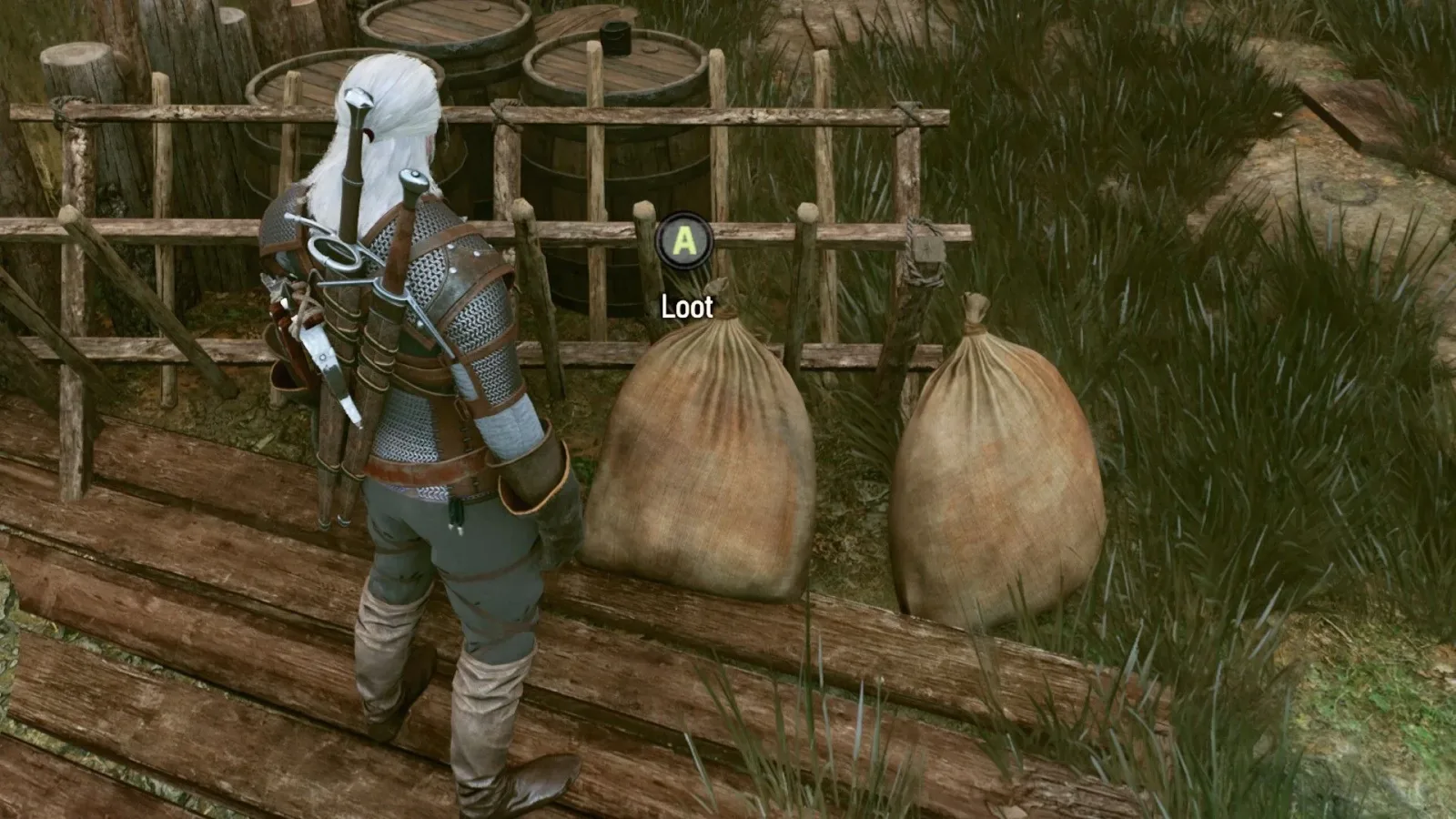
The Witcher 3 Remastered Loot Merge is a new quality-of-life option intended to make the game's constant scavenging a little less repetitive. Its purpose is straightforward: when several lootable objects of the same type are close together, the game can place their contents into a single loot interface rather than requiring Geralt to open each one individually.
That sounds simple on paper, but the setting is not completely self-explanatory in practice. Loot Merge does not appear to activate for every possible container, and players may see it work in one situation before seemingly failing in another. The important detail is that this inconsistency appears to be part of the feature's current behavior rather than necessarily being a malfunction.
For players deciding whether the option is worth enabling, the short answer is yes. When it applies, it reduces the number of menus needed to clear an area. There is no apparent downside to having it switched on, even if it will not eliminate every individual loot prompt.
What Loot Merge does in The Witcher 3 Remastered
Loot Merge gathers items from nearby lootable targets and presents them together in one list. The targets need to be the same general kind of loot source for this to happen. Instead of selecting one object, taking its contents, then moving to the next matching object and repeating the process, a player can potentially collect the combined contents through one loot window.
For useful background on this topic, read Control Resonant: New Growth Walkthrough and Doctor Underhill Choice Explained.
Its most useful application is after combat. Enemy encounters can leave a cluster of corpses on the ground, especially when Geralt has dealt with a pack of animals or a group of opponents in a confined space. If Loot Merge recognizes those bodies as compatible nearby targets, their drops can appear in a single menu. That means the player can clear several bodies' inventories without repeatedly backing out and reopening the interface.
The feature is therefore less about changing what can be looted and more about reducing the friction involved in collecting it. It does not make objects automatically empty themselves, alter item ownership, or promise that everything in an area will be included. It simply streamlines the act of accessing items when the game decides several nearby containers qualify to be grouped together.
Corpses appear to be the clearest use case
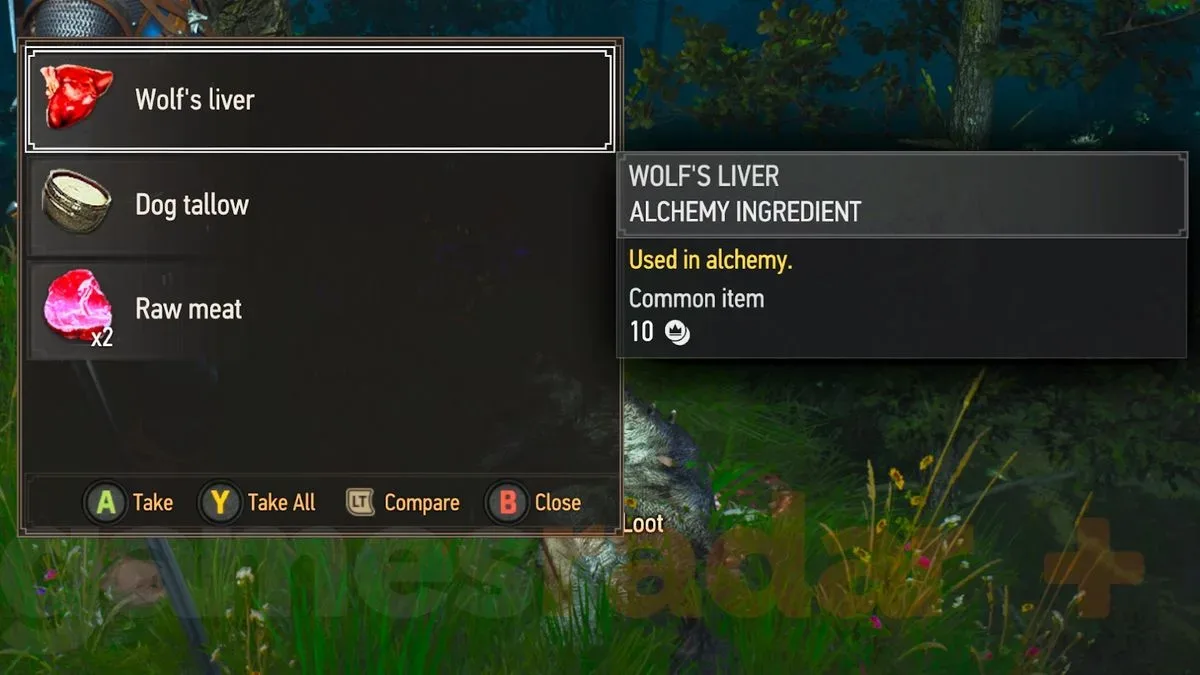
Observed behavior suggests that Loot Merge is particularly effective with corpses. For example, loot dropped by multiple wolves can be collected from one combined list when their bodies are near one another. This is exactly the kind of scenario where the setting has an immediate benefit: fights involving several similar creatures often produce several separate loot points within only a few steps of each other.
With Loot Merge active, the player does not need to treat every wolf body as a separate stop. The consolidated screen can gather the available drops, making cleanup after the battle faster and easier to read. Players who habitually loot every defeated creature may notice the difference most, since even a small reduction in repeated interactions adds up over a long adventure.
There is an important caveat, however. The available information indicates that the feature seems to work for corpses rather than establishing that it will always merge every body in every possible circumstance. Positioning, proximity, and the game's own categorization of targets may all matter. If a nearby corpse does not appear in the same window, that does not automatically mean the option has been disabled or broken.
Why bags, cabinets, and chests may still open separately
The limitation becomes more noticeable when looting environmental containers. Nearby bags do not necessarily combine into a single inventory screen. A player may find two bags sitting close to each other and still receive a distinct loot window for each one. The same apparent restriction applies to cabinets and chests.
That difference can initially be confusing because the setting's name suggests a broad merging function. In reality, it is better to think of Loot Merge as a selective convenience tool. It can consolidate certain groups of nearby loot sources, but it does not turn every container in a room, camp, house, or ruin into one shared stash.
As a result, players should not expect a chest to absorb the contents of neighboring cabinets, or a bag to be added automatically to a chest's item list. Environmental objects may remain individual interactions even when they are positioned almost side by side. This is most likely to stand out in locations filled with furniture and containers, where traditional looting remains largely unchanged.
That is not necessarily a drawback in the design. Chests, bags, cabinets, and similar objects can be placed close together while still serving as separate pieces of environmental dressing. Treating all of them as one container could make it harder to understand what Geralt is searching. The current behavior instead reserves the strongest benefit for situations where many identical loot targets--such as bodies after a fight--would otherwise create repetitive menu work.
How to judge whether the setting is working
The easiest way to test Loot Merge is to look for several nearby bodies from the same encounter. Open the loot prompt for one of them and examine the item list. If the feature has grouped the targets, the list should include drops that would otherwise have been found across multiple bodies. Once those items have been taken, there should be fewer separate corpse inventories left to inspect.
If the same result does not occur with a pair of bags or a cluster of household containers, that is consistent with the feature's apparent limits. Do not use cabinets, chests, or bags as the sole test for whether Loot Merge is active. They may simply fall outside the kinds of objects the option currently consolidates.
- Use a group of nearby enemy or animal bodies as the most practical test.
- Check whether a single loot screen contains drops from several defeated targets.
- Expect some non-body containers to remain separate, even at very short distances.
- Remember that the feature appears to depend on matching container types, not merely on physical proximity.
This distinction matters because proximity alone is not enough. Two objects can be almost touching without being treated as mergeable. Conversely, a small group of matching corpses can be handled together because they fit the function's apparent criteria.
Should you turn Loot Merge on?
Loot Merge is recommended for most players. It makes collection faster when it activates and does not appear to impose a meaningful trade-off when it does not. Players who prefer to inspect every object one at a time can still do so where the feature does not consolidate containers, while players focused on quick cleanup after combat gain a useful shortcut.
The option is especially appealing for anyone who tends to search every defeated foe. The Witcher 3's adventures regularly encourage exploration and resource gathering, and individual loot screens can become a routine part of moving through the world. Combining several compatible targets removes some of that repetition without changing the underlying act of looting.
There is also little reason to disable the setting just because it does not work with every chest or bag. Its partial coverage is better viewed as an extra convenience rather than a total overhaul of container interaction. If it merges a group of wolves, enemies, or other nearby corpses, it has already saved several steps. If it leaves a few bags separate, the player has lost nothing by keeping it enabled.
Loot Merge is best understood as a selective batching system: it can unite nearby compatible loot sources, but it is not a universal "loot everything nearby" command.
The key takeaway
The Witcher 3 Remastered Loot Merge setting collects loot from nearby items of the same type into one window when the game supports that grouping. Its clearest observed benefit is with corpses, where several defeated creatures or enemies can contribute to one list of drops. Nearby bags, cabinets, and chests, by contrast, may still require separate interactions.
That behavior can make the option feel inconsistent, but it appears to be an intended limitation rather than an obvious error. Enable it, use groups of bodies as the main example of what it can do, and keep expectations measured around environmental containers. It will not remove every loot prompt from the game, but it can make the moments when Geralt is surrounded by several fallen foes noticeably more efficient.
Community
Discussion
Start the conversation.
No comments have been posted yet.