

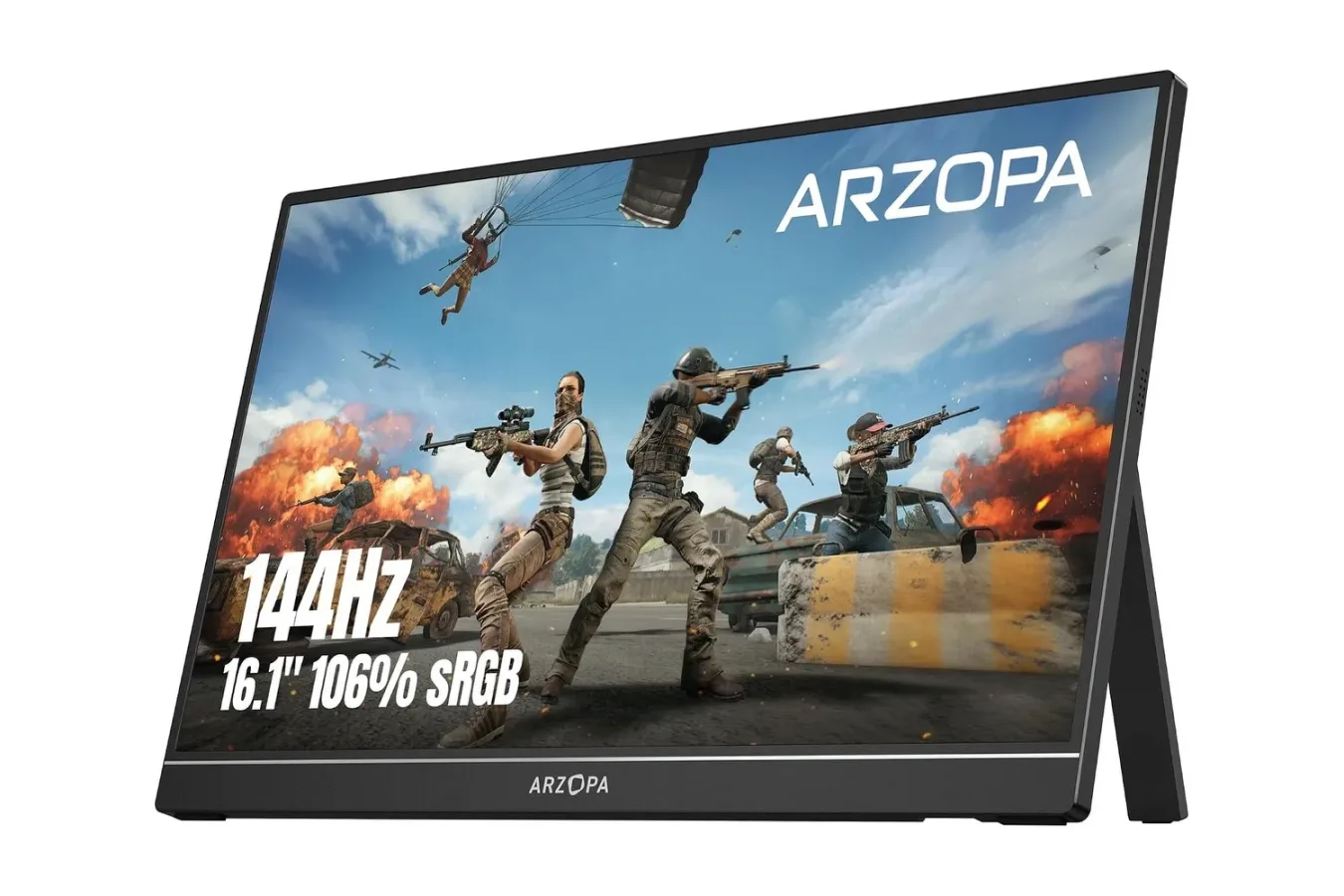
Portable displays occupy a useful niche for players who want a larger screen than a handheld can offer but do not want to pack a conventional monitor. The ARZOPA 16.1-inch 144Hz Portable Gaming Monitor is currently available for $92, reduced from its usual $130 price. That is a $38 reduction, or 29% off, and represents the product's largest listed price cut to date.
For that price, the appeal is not simply that this is an extra screen. ARZOPA's model combines a 16.1-inch 1920 x 1080 IPS LCD panel with specifications that are more commonly associated with desktop-focused gaming monitors: a 144Hz refresh rate and a claimed 1ms response time. It also has two USB-C connections, a mini-HDMI input, built-in speakers, a 3.5mm headphone jack, and a built-in adjustable kickstand.
That feature set makes it a practical option for PC players, console owners, and frequent travelers who want a more self-contained display solution. Pricing on retail listings can change quickly, particularly around seasonal sales, so the $92 figure is worth checking before making a purchase.
Why 144Hz matters on a portable monitor
Most portable monitors prioritize basic productivity use and commonly operate at a 60Hz refresh rate. In simple terms, a 60Hz screen redraws its image up to 60 times every second. That is sufficient for documents, video, strategy games, and plenty of other everyday uses, but it can make fast camera movement look less fluid than it does on a higher-refresh display.
For useful background on this topic, read Intel Core i9-12900KF Falls to $246 in Cyber Monday CPU Deal.
The ARZOPA monitor's 144Hz panel can refresh the image up to 144 times per second when connected to compatible hardware and when the game can deliver that frame rate. This will be most relevant to PC gaming, where players can adjust settings to target higher frame rates in competitive shooters, racing games, action titles, and other fast-moving experiences.
A higher refresh rate does not automatically make every game run at 144 frames per second. A laptop, desktop PC, console, cable connection, game settings, and the game's own performance limits all play a role. Still, a 144Hz panel gives PC users more room to benefit from high-frame-rate play than a conventional 60Hz travel monitor would.
The stated 1ms response time is intended to reduce visible ghosting, the trailing effect that can appear behind objects as they move rapidly across a display. Combined with the faster refresh capability, that specification makes this model a more gaming-oriented portable option than displays built solely as second screens for spreadsheets or email.
A compact screen for console travel
The mini-HDMI connection supports use with consoles including Nintendo Switch, PlayStation 5, and Xbox systems. For travelers, that can solve a familiar problem: arriving at a hotel, rental property, dorm, or shared space and discovering that the available television either has no accessible HDMI port or is already being used by somebody else.
Instead of relying on a room television, a player can place this monitor on a desk or tabletop and connect a console directly. A video cable carries the image to the display, while USB-C can be used to provide power from a wall adapter or compatible battery pack. That separation is useful because it avoids making the monitor dependent on a television's ports, settings, or Remote Control.
Nintendo Switch owners may find the format especially convenient when traveling with the dock. While the Switch itself already has a handheld screen, the ARZOPA panel offers a substantially larger 16.1-inch viewing area for docked play without requiring a living-room television. It can also be useful in situations where more than one person wants to watch, though the compact size means it remains better suited to close-range tabletop viewing than a full-sized TV replacement.
PlayStation and Xbox users should keep their expectations aligned with the monitor's native 1080p resolution. It is not a 4K display, so it is not designed to show games at 4K resolution. Its strengths are portability, 1080p output, and its high-refresh panel. That trade-off can make sense for a temporary setup, a secondary room, local events, or gaming away from home.
USB-C flexibility for laptop and PC setups
The monitor can also function as a second display for a laptop. For compatible machines with a USB-C port that supports DisplayPort Alternate Mode, one USB-C cable can carry both the video signal and power. This is the cleanest setup, since it minimizes cabling and makes the display especially easy to use at a hotel desk, coffee table, or temporary work area.
Not every USB-C port supports video output, however. On laptops without DisplayPort Alternate Mode, the monitor can receive video through mini-HDMI while a separate USB-C cable supplies power. ARZOPA includes cables to accommodate both connection approaches, which is important for travelers who may be switching between devices or helping another person connect their system.
For PC players, a portable high-refresh monitor can serve several roles. It can be a travel screen for a gaming laptop, a compact companion for LAN gatherings, or an extra display at home for chat applications, guides, streaming controls, music, or system monitoring. It may also be useful for those who work and game from the same laptop and do not have room for a permanent dual-monitor desk arrangement.
As with any external display purchase, buyers should confirm the outputs supported by their specific laptop, handheld PC, console, dock, or adapter. A monitor may offer a 144Hz panel, but the final refresh rate available in practice can be limited by the source device, port, cable, resolution setting, and software configuration.
The built-in stand is a meaningful travel feature
A number of portable monitors use a folio cover that doubles as a stand. That design can protect the screen during transport, but it may take extra setup and can offer limited angle adjustment. The ARZOPA 16.1-inch monitor instead includes a built-in kickstand, allowing it to stand upright without balancing it against a bag, book, or other improvised support.
That matters for the kind of locations where a travel display is likely to be used. A hotel desk may be shallow, an airplane tray table may have little spare room, and a kitchen or dining table might not have a convenient wall or sturdy object behind the screen. The kickstand makes it possible to set an angle quickly and adjust the display to fit the available surface.
Its IPS panel is another useful point for shared viewing. IPS technology is generally valued for maintaining more consistent color and contrast when viewed from the side compared with some alternative panel types. If two people are looking at the display from slightly different positions, that wider-angle consistency can help prevent one viewer from seeing a noticeably degraded image.
Audio, weight, and the limits of portable gaming
The monitor weighs less than two pounds, helping keep it practical for a backpack or travel bag. Built-in speakers provide a simple audio option when convenience matters more than room-filling sound, while the 3.5mm headphone jack gives users a direct place to connect wired headphones or speakers.
Portable screens inevitably involve compromises. At 16.1 inches, this is not intended to replace a large television for couch gaming across a room. Its 1080p resolution is also a more modest target than the 1440p and 4K displays many desktop players use. Battery use and cable management can vary based on the attached device, especially when the monitor cannot draw both power and video through one USB-C connection.
But those limitations are closely tied to the product category rather than unique shortcomings. The point is to have a screen that can be carried easily, set up quickly, and used with more than one device. A 16.1-inch display remains much easier to transport than a desktop monitor while offering significantly more room than many laptop and handheld screens.
Who should consider this deal?
- Gaming laptop owners who want a high-refresh secondary screen for travel, events, or small desks.
- Nintendo Switch players who travel with a dock and would rather not depend on a hotel television.
- PlayStation and Xbox owners looking for a compact 1080p screen for temporary setups, shared homes, or trips.
- Remote workers and students who can use the monitor for productivity during the day and gaming afterward.
- Players short on permanent desk space who want a display they can pack away when it is not needed.
At $92, the ARZOPA 16.1-inch 144Hz Portable Gaming Monitor stands out because it combines portable-monitor convenience with a faster panel than the 60Hz specification commonly found in this category. The USB-C and mini-HDMI connectivity, built-in stand, IPS viewing angles, audio options, and console compatibility make it a versatile screen rather than a single-purpose PC accessory.
Anyone shopping specifically for 4K gaming, HDR performance, a large living-room display, or a monitor with the expansive connectivity of a desktop model should look elsewhere. For a lightweight 1080p travel display that can move between a laptop, a docked Switch, and HDMI-equipped consoles, though, the current discount makes this one worth considering.
Community
Discussion
Start the conversation.
No comments have been posted yet.