

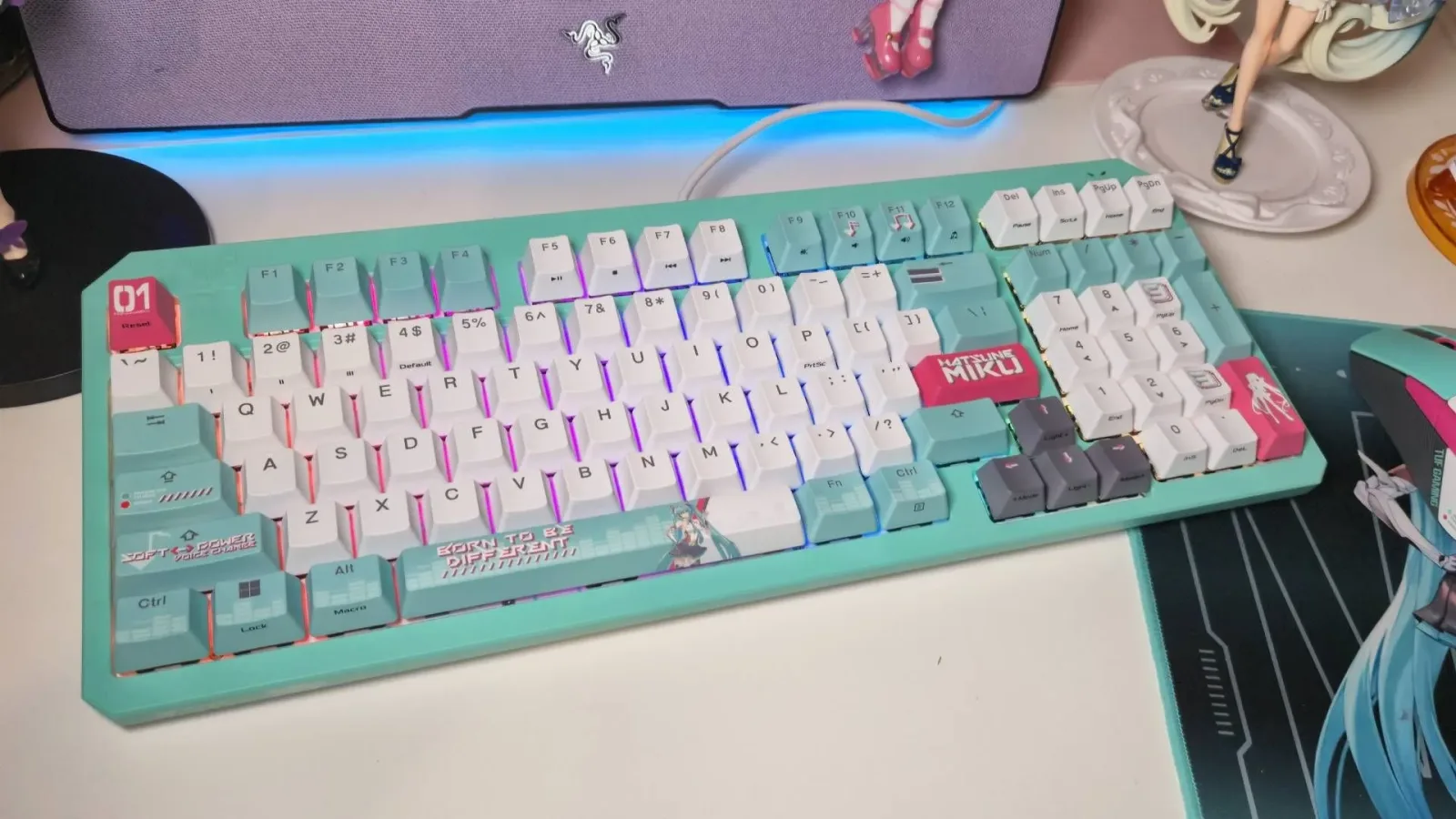
Hatsune Miku has inspired plenty of collectible tech over the years, but Asus' TUF Gaming collaboration has become particularly recognizable among PC setup enthusiasts. Its bright turquoise-and-pink palette, character references, and more playful visual details make the accessories hard to mistake for conventional gaming hardware. Now, two of the most prominent items in the collection--the Asus TUF Gaming K3 Gen II Hatsune Miku Edition keyboard and the Hatsune Miku Edition Mini Wireless Mouse--are receiving notable discounts as part of Amazon's early Prime Day promotions.
The wired K3 Gen II keyboard is available for $84.99, down from its usual $99.99 price. That matches the lowest recorded price for the board, although it has only briefly reached that amount before. The Mini Wireless Mouse has also fallen well below its normal $109.99 list price. The deal was listed at $74.99 in the promotion details, while a later price check placed it at $75.99; either way, the mouse is roughly $34 to $35 off and close to its previous best price of $74.09. As with many retailer promotions, pricing can shift during the course of a sale.
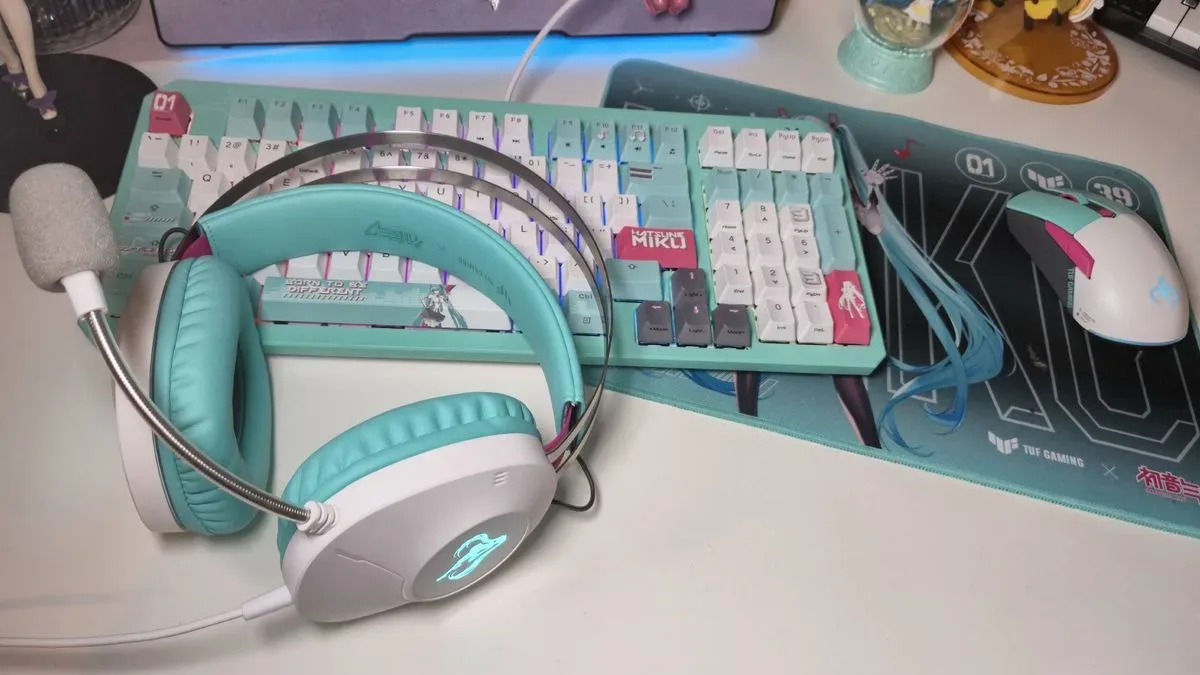
Neither deal covers the complete Asus TUF Gaming Hatsune Miku accessory range. The collection also includes a headset and mousepad, but those items were not included in the reported early discounts. Still, the keyboard and mouse are arguably the two centerpieces for anyone building a coordinated PC desk space around the collaboration's distinctive design.
A rare low price for the K3 Gen II Hatsune Miku Edition keyboard
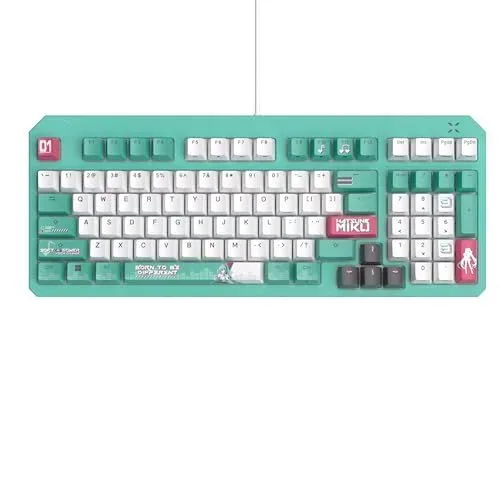
The most significant discount is attached to the K3 Gen II Hatsune Miku Edition, a wired USB gaming keyboard with a 98-key layout. At $84.99, it returns to a record-low price that previously appeared only briefly earlier in the summer. More commonly, its price has moved between around $90 and its full $99.99 MSRP, making the current reduction more meaningful than a routine small sale.
For useful background on this topic, read +1 Loot to Forge Codes for September 2026: Coins, Potions and Rerolls.
The 98-key format is an important part of the keyboard's appeal. It preserves a number pad while reducing some of the unused spacing found on a full-size layout, creating a compromise between compactness and traditional desktop functionality. For players who use number keys for shortcuts, work in spreadsheets, or simply prefer a keypad for everyday PC tasks, that extra hardware can be more practical than moving to a smaller tenkeyless board.
Asus equips the K3 Gen II Hatsune Miku Edition with optical-mechanical RGB switches. Optical switch technology is designed to register presses through light-based actuation rather than relying solely on conventional electrical contact methods. In practical terms, buyers are likely to care most about the key feel: the board has been described as having a pleasing bounce while typing, making it suitable not just for games but for regular writing and desktop use.
Of course, performance hardware is only half the reason this model exists. The keyboard's physical presentation leans enthusiastically into the virtual singer's aesthetic. Its keycaps carry Hatsune Miku-themed iconography, including heart-shaped music-note imagery, while the Return key bears her name. Miku also appears on the spacebar, and the turquoise-and-pink treatment gives the keyboard an identity that is far more expressive than the black, white, and gray finishes common in mainstream gaming peripherals.
That visual commitment can make it a more specialized purchase than an ordinary RGB keyboard. Someone looking for the most understated option for an office may want a more neutral board. But for Vocaloid fans, anime collectors, and gamers who want their desk to have personality, the licensed styling is the point. A record-low price makes that kind of design-led purchase easier to justify, particularly since officially branded peripherals often maintain a premium over similar base hardware.
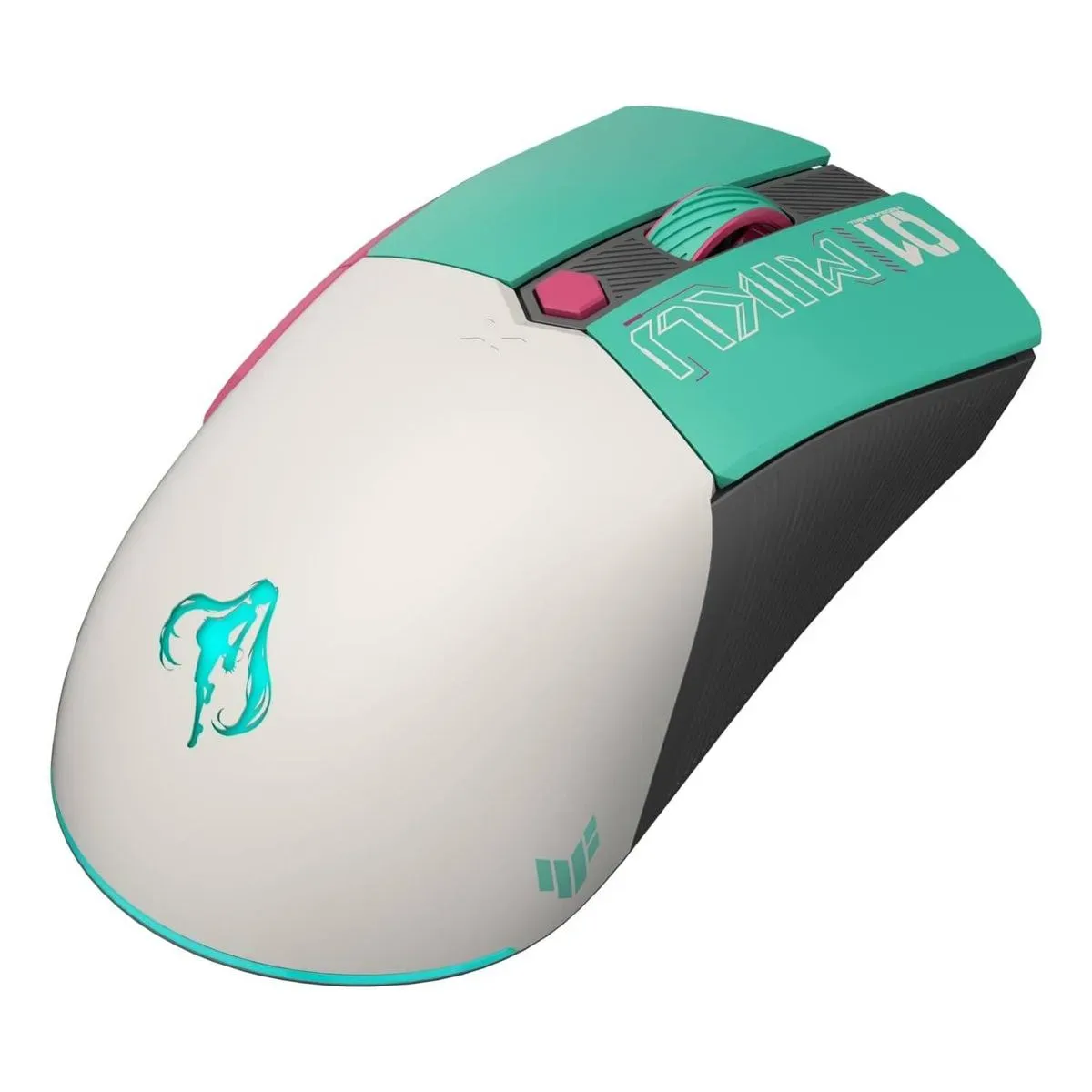
The Mini Wireless Mouse puts Miku at the center of the setup
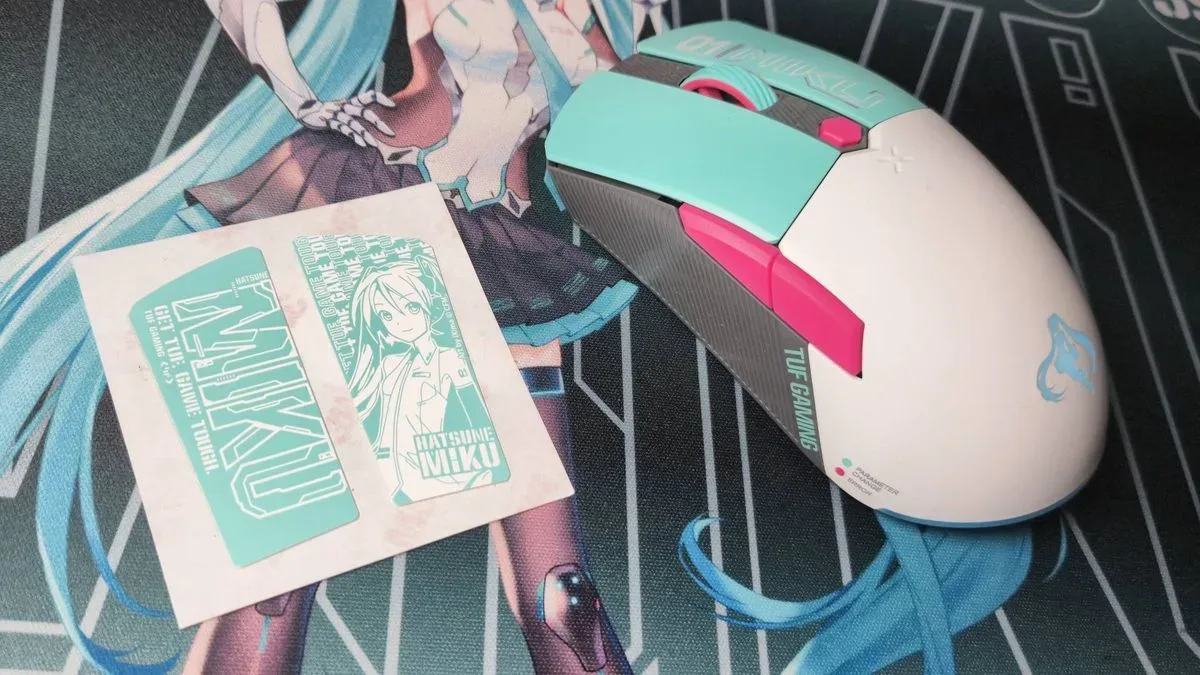
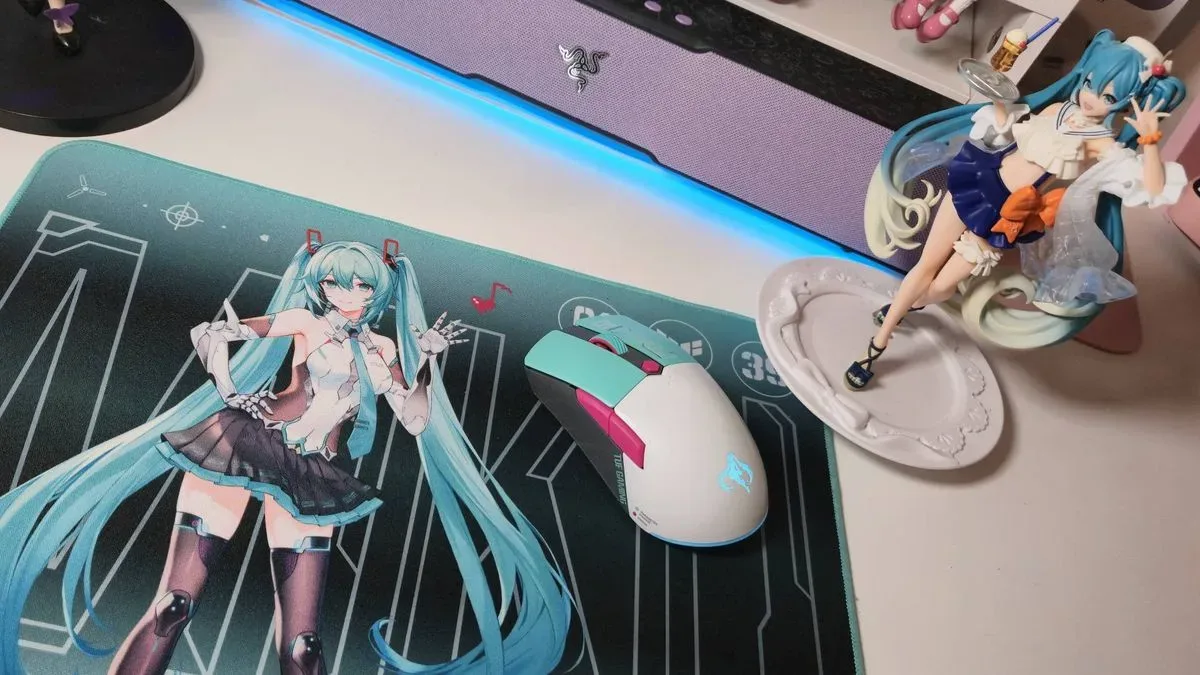
The Hatsune Miku Edition Mini Wireless Mouse is the accessory that most immediately advertises the collaboration. A glowing Miku-shaped LED silhouette sits on its palm rest, adding a visual feature that stands out even before RGB lighting elsewhere in a setup is switched on. Its small turquoise 2.4GHz receiver also fits the wider color scheme, rather than looking like a generic black USB dongle.
At the current roughly $75 price, the mouse is not positioned as an ultra-competitive flagship made to challenge the highest-end esports models. Its specifications are nonetheless solid for general PC gaming. It uses a 12,000 DPI sensor and a 1,000Hz polling rate, figures that should cover the needs of many players across action games, multiplayer shooters, strategy titles, and routine desktop work. A higher DPI number alone does not determine mouse quality or individual comfort, but 12,000 DPI leaves plenty of room for sensitivity adjustment across monitor resolutions and personal preferences.
The mouse's more substantial practical feature is its claimed 134-hour battery life. For wireless peripherals, battery concerns can become irritating when charging interrupts a play session or workday. A rating at that level means many users should be able to go for long stretches between charges, depending on connection mode and lighting settings. When power is eventually needed, the mouse can still be used in wired mode, so charging does not have to mean temporarily losing access to it.
Asus also includes tri-mode connectivity. That means the mouse can connect through its 2.4GHz wireless receiver, Bluetooth, or a wired connection. This is useful for people who swap between a gaming desktop, laptop, tablet, or work machine. The 2.4GHz mode is generally the natural choice for a primary gaming PC, while Bluetooth provides a convenient option when USB ports are limited or when a second device needs to be paired.
There is a storage compartment on the underside of the mouse for the receiver. It is a small inclusion, but an important one for portable use. Tiny USB dongles are easy to misplace in a bag, drawer, or desk clutter, and onboard storage reduces the likelihood that the 2.4GHz receiver gets separated from the mouse.
Licensed peripherals are as much about identity as specifications
The appeal of the Asus TUF Gaming Hatsune Miku range is not limited to a checklist of features. There are mice with stronger sensors, more aggressive polling-rate options, or lighter chassis designs, and there are keyboards with more expansive enthusiast customization. Buyers should therefore approach these deals with the right expectation: this is gaming hardware built around a character collaboration, not a value-only race to the highest possible specifications.
That does not make the products impractical. The keyboard's 98-key layout, optical-mechanical switches, USB connection, and RGB support offer a useful feature set. The mouse's 12,000 DPI sensor, 1,000Hz polling, long battery rating, and three connection modes provide flexibility beyond a simple novelty accessory. Instead, the Miku branding adds an aesthetic layer to hardware that remains capable of serving as everyday PC equipment.
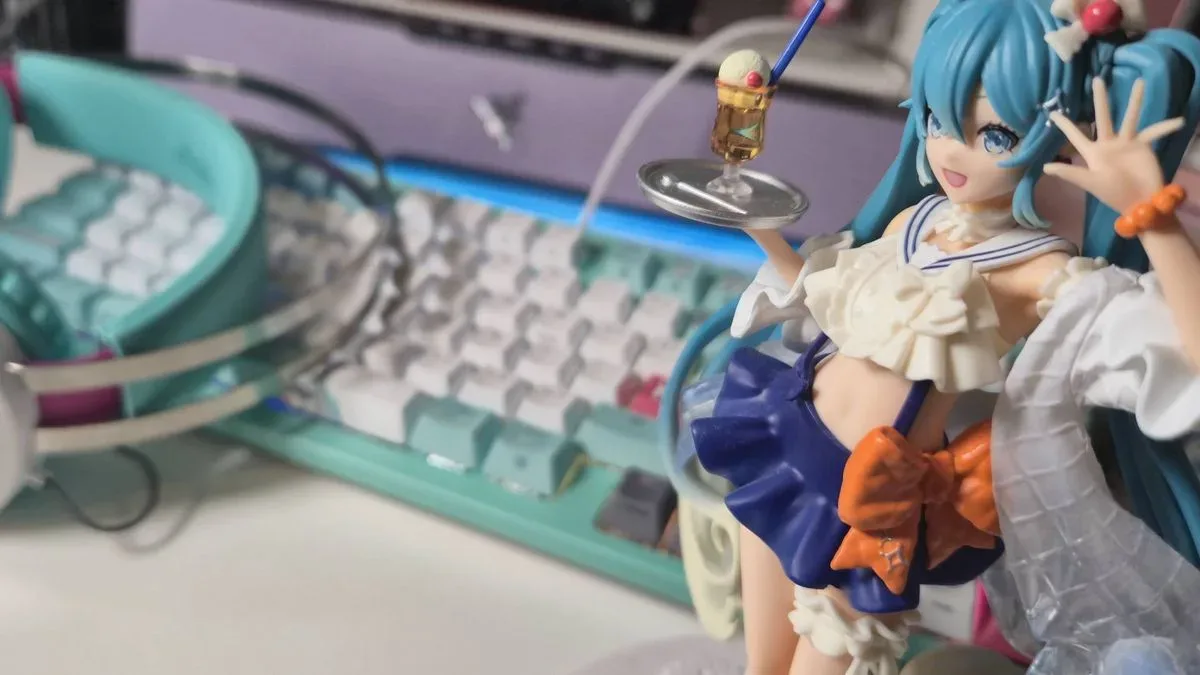
For some users, a themed accessory may be the piece that changes a desk from a functional arrangement into a personal space. The keyboard's illustrated keycaps and the mouse's illuminated Miku motif establish a unified look without needing custom keycaps, separate decals, or aftermarket case modifications. That can be especially appealing to collectors who want a coordinated setup but do not necessarily want to build or modify peripherals themselves.
What prospective buyers should keep in mind
Before buying, shoppers should consider whether the products match their preferred setup and play habits. The K3 Gen II is a wired keyboard, so it is best suited to a desk where a permanent cable is not a concern. Its 98-key layout includes the number pad, which is valuable for many users but takes up more desk room than a 75% or tenkeyless board. Anyone shopping specifically for a highly compact keyboard may want to compare its footprint with the room available beside their mousepad.
The mouse is described as a mini model, so hand size and grip style matter. Smaller mice can be excellent for users who prefer fingertip or claw grips, as well as those with smaller hands, but a larger palm-grip user may be more comfortable with a bigger chassis. The themed design and favorable sale price are compelling, but comfort remains one of the most important factors in a mouse purchase.
It is also worth remembering that these are limited-time promotional prices rather than permanent reductions. The keyboard's $84.99 tag is notable precisely because it has seldom held at that level. Meanwhile, the mouse is near, but not quite at, its recorded low point. Buyers who have been waiting for the collaboration to become less expensive may find this to be a sensible moment, while anyone focused purely on maximum competitive performance may prefer to compare the sale pricing against non-licensed alternatives.
A strong opportunity for Hatsune Miku PC fans
For fans who have admired the Asus TUF Gaming Hatsune Miku lineup from afar but hesitated at its standard licensed-hardware prices, these early Prime Day offers lower the barrier meaningfully. The K3 Gen II keyboard at $84.99 is particularly appealing because it matches its record low while delivering a full-featured 98-key design and unmistakable Miku presentation. The Mini Wireless Mouse, at approximately $75 depending on the current listing, combines long stated battery life and flexible connectivity with perhaps the collection's most eye-catching illuminated detail.
The rest of the matching range is not part of the same discounts, so this is not a complete setup sale. Even so, keyboard and mouse are the accessories that will have the greatest visible and hands-on impact for most PC players. Whether the goal is to add a single pop of turquoise to a desk or begin a fully coordinated Hatsune Miku gaming station, the current pricing provides a more approachable entry point into one of Asus TUF Gaming's most colorful collaborations.
Community
Discussion
Start the conversation.
No comments have been posted yet.